

Table of Contents
Top Free Urban Lightroom Presets for 2026
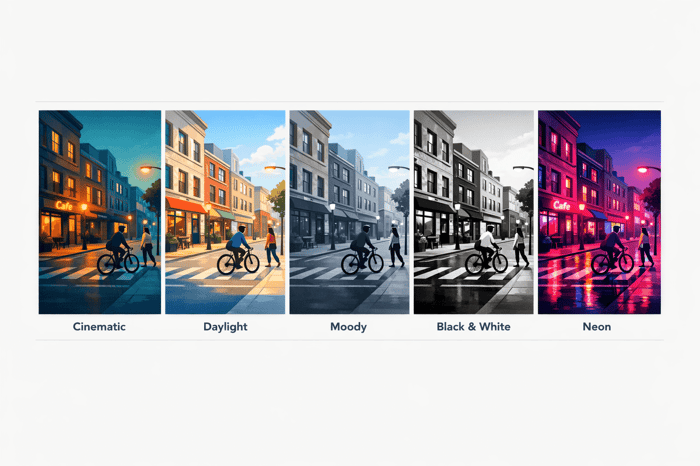
Urban Lightroom presets are pre-configured settings that simplify photo editing, especially for city photography. They save time by adjusting exposure, contrast, and color tones in one click. In 2026, trends like cinematic tones, film-inspired looks, and neon-lit styles are popular. Below are five free presets tailored for urban photography:
- Cinematic City Vibes: Perfect for evening cityscapes with smooth tonal transitions.
- Bright Urban Daylight: Enhances vibrant storefronts and balances bright midday lighting.
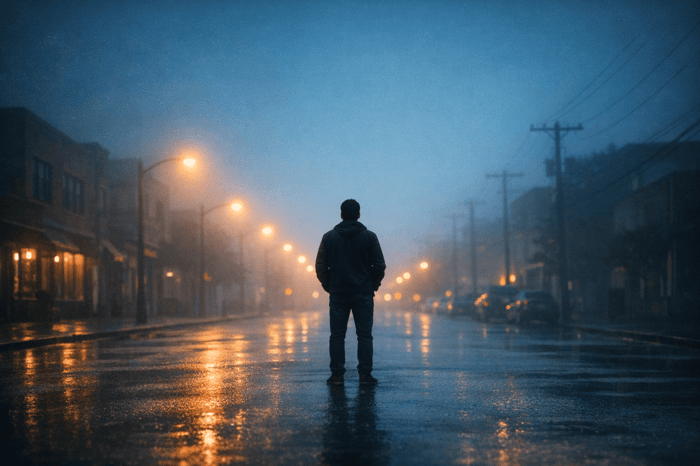
- Moody Street Photography: Adds depth and texture to overcast scenes.
- Black-and-White Cityscape: High-contrast monochrome for architectural shots.
- Neon Nights Glow: Highlights neon lights and reflections in night scenes.
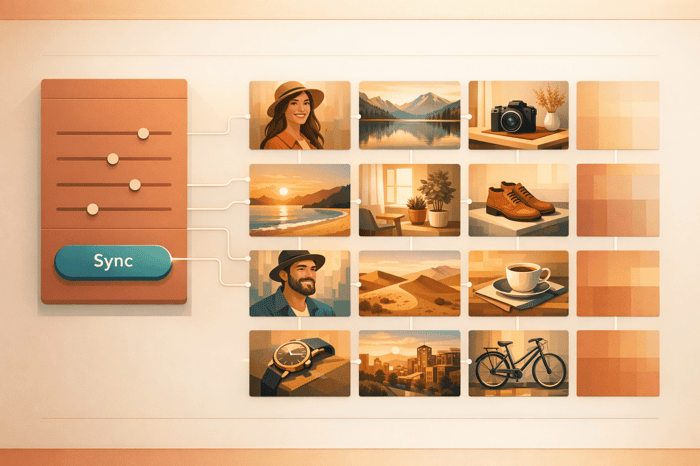
These presets are free, compatible with Lightroom Classic, Mobile, and Adobe Camera Raw, and cater to various urban lighting conditions. Adjustments like exposure and clarity can further refine your edits.
FREE Lightroom Preset "Moody City" Before & After
sbb-itb-b27063b
How We Picked the Top Urban Presets
We focused on presets that met clear, consistent standards, ensuring they were tailored specifically for city photography.
Selection Criteria
To make the cut, each preset had to meet these strict requirements:
| Selection Criterion | Requirement |
|---|---|
| Cost | Completely free with no subscription needed |
| Compatibility | Works across Adobe platforms: Desktop (.xmp), Mobile (DNG), and ACR |
| Skin Tone Protection | Maintains natural textures and accurate skin tones |
| Urban Suitability | Designed for metropolitan settings like architecture, street scenes, and neon lights |
| Edit Quality | Delivers professional-level color adjustments and dynamic range |
These presets weren’t just general-purpose tools. Each one was crafted specifically to handle the unique challenges of metropolitan environments.
What Makes These Presets Stand Out
Urban photography presents a wide range of lighting conditions - harsh midday sun, deep shadows from towering buildings, and vibrant neon signs at night. These presets excel at tackling those challenges while offering distinct visual styles. For instance:
- Daytime street photography presets enhance contrast and highlight the textures of concrete and other urban materials without overexposing bright areas.
- Nighttime cityscape presets amplify neon reflections and add depth, creating a cinematic feel to glowing city lights.
Photography trends for 2026 also influenced our selections. There’s a noticeable shift toward gritty realism, characterized by matte finishes, softened whites, and lifted blacks. At the same time, film emulation remains popular, with many photographers seeking the nostalgic look of classic films like Kodak Portra 400 or Fuji Pro 400H. The presets we chose reflect these trends, balancing modern aesthetics with timeless appeal - without feeling like fleeting fads.
Top Free Urban Lightroom Presets for 2026
Every preset listed here is completely free to download, though you can also find comprehensive preset collections and works seamlessly with Lightroom Classic, Lightroom (Cloud), Adobe Camera Raw, and Lightroom Mobile. Available in .xmp or .dng formats, these presets are tailored for specific urban photography scenarios. Choose the one that best matches your shot.
Here are five standout free presets designed to handle different city lighting challenges.
Preset 1: Cinematic City Vibes
This preset is perfect for evening cityscapes, tackling the common issue of blown-out highlights with cinematic luminance compression. It softens bright areas while maintaining detail, giving your shots a smooth, matte finish. The desaturated shadows and subtractive color adjustments unify the varied lighting often found on city streets at night.
Preset 2: Bright Urban Daylight
Ideal for high-noon city scenes, this preset enhances the contrast between vibrant storefronts and muted skies. It boosts warm tones like reds, oranges, and yellows, making signage and facades pop, while keeping skies moody with grays and blacks for a bold, dynamic look. This preset breathes life into daylight city photography without making it feel over-processed.
Preset 3: Moody Street Photography
Designed for overcast urban environments, this preset creates a dim yet crisp aesthetic. It reduces color saturation to emphasize tones and textures, while boosting clarity and sharpening, making details like concrete, steel, and pavement stand out. It’s a great choice for flat lighting conditions, adding depth and contrast in a subtle, controlled way.
Preset 4: Black-and-White Cityscape
For photographers who love monochrome, this preset delivers high-contrast black-and-white conversions without requiring manual adjustments. It excels in architectural photography, highlighting strong lines and geometric patterns with sharp detail retention. A simple one-click solution for striking cityscapes.
Preset 5: Neon Nights Glow
Perfect for nighttime city centers, this preset enhances neon lights while preserving shadow details. It adds a soft glow to highlights and emphasizes deep blue tones, making reflections on wet pavement or glass surfaces truly shine. Whether you’re shooting in Times Square or the Las Vegas Strip, this preset handles the intensity of neon lighting with finesse, avoiding the oversaturation common with generic filters.
Choosing the Right Preset for Your Shots
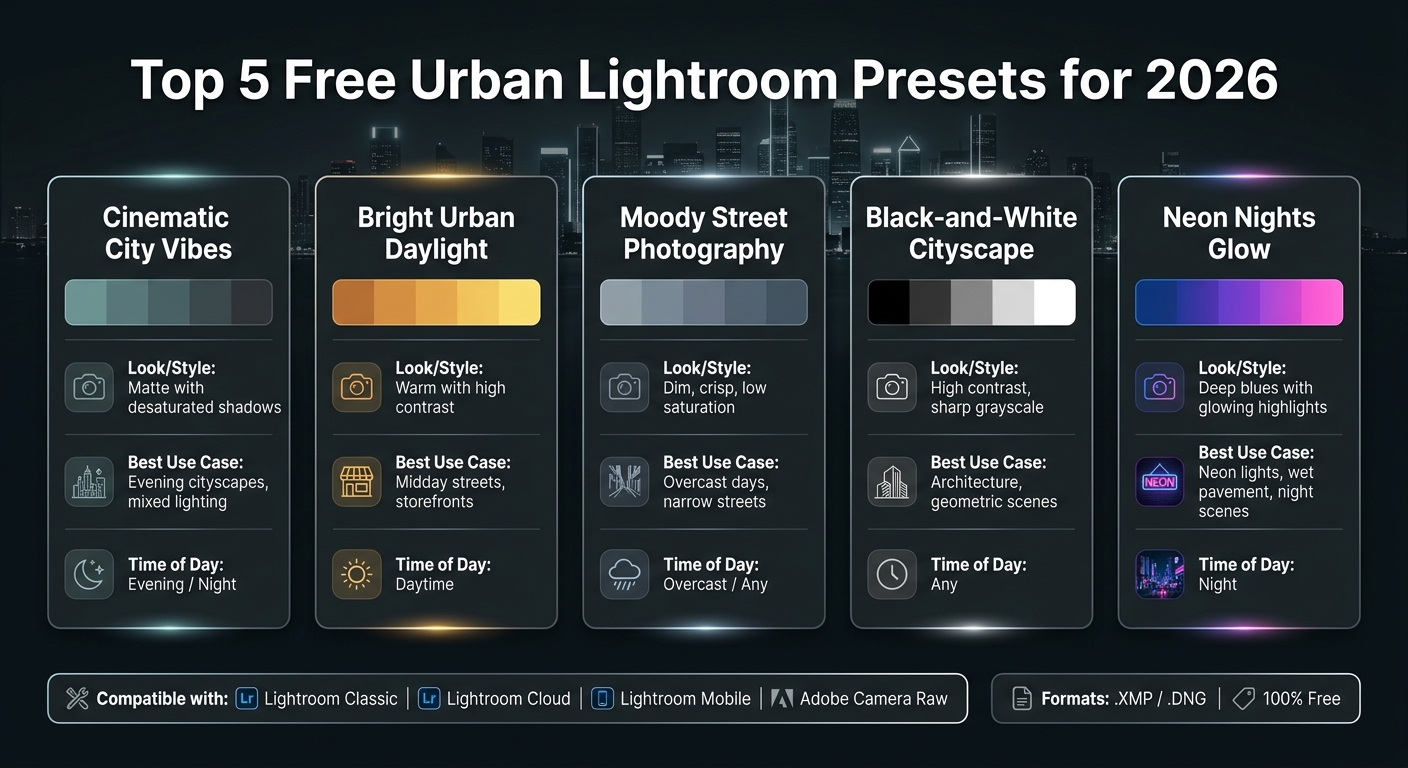
Top 5 Free Urban Lightroom Presets for 2026: Quick Comparison Guide
Not every preset works perfectly for every urban photo. To make your urban photography stand out, it's important to match the right preset with the specific conditions of your shot. Below are some tailored recommendations that connect our detailed preset reviews with real-world shooting scenarios.
Best Presets for Daytime Urban Shots
For those bright, bustling city scenes, Bright Urban Daylight is a fantastic option. It reduces harsh midday contrasts while making storefronts and signs pop in a natural way - no over-processing here. If your photo leans too warm or picks up a magenta tint, this preset's cooler tones help bring things back into balance.
On cloudy days, when the light can feel flat and uninspiring, Moody Street Photography steps in to restore depth and texture, making subtle details in the scene come alive.
Best Presets for Night City Photography
Nighttime cityscapes require a different approach. Neon Nights Glow is ideal for capturing the vibrant colors of neon signs, LED displays, or reflections on wet streets, all while keeping the highlights intact. For scenes with mixed lighting, Cinematic City Vibes offers smoother tonal transitions and a polished, cinematic feel.
Preset Comparison Table
Here's a quick guide to help you choose the right preset based on your needs:
| Preset | Look | Best Use Case | Format | Compatibility |
|---|---|---|---|---|
| Cinematic City Vibes | Matte with desaturated shadows | Evening cityscapes, mixed lighting | .xmp / .dng | Classic, Cloud, Mobile |
| Bright Urban Daylight | Warm with high contrast | Midday streets, storefronts | .xmp / .dng | Classic, Cloud, Mobile |
| Moody Street Photography | Dim, crisp, low saturation | Overcast days, narrow streets | .xmp / .dng | Classic, Cloud, Mobile |
| Black-and-White Cityscape | High contrast, sharp grayscale | Architecture, geometric scenes | .xmp / .dng | Classic, Cloud, Mobile |
| Neon Nights Glow | Deep blues with glowing highlights | Neon lights, wet pavement, night scenes | .xmp / .dng | Classic, Cloud, Mobile |
The Ultimate Presets.IO Bundle

$89.00
$1,662.00
The Ultimate Presets.io Bundle combines The Master Preset Bundle Volume I and The Master Preset Bundle Volume II into one complete collection, giving you every editing style you need in a single download. Save $37 vs. Volume I and II… continue reading
How to Install and Use Lightroom Presets
Once you've chosen a preset from the table, installing it in Lightroom is quick and easy. The process depends on which version of Lightroom you're using. Below, you'll find a handy table and clear instructions for each platform.
How to Install Presets in Lightroom
| Platform | File Format | Installation Path |
|---|---|---|
| Lightroom Classic | .XMP | Develop Module → Presets Panel → Right-click → Import |
| Lightroom Desktop | .XMP / .ZIP | File → Import Profiles & Presets |
| Lightroom Mobile | .DNG / .XMP | Import Photo → Open Image → Tap (...) → Create Preset |
Here’s a breakdown of the steps for each version:
- Lightroom Classic: Open the Develop module, locate the Presets panel on the left, and right-click anywhere inside it. Choose Import, select your
.xmpfiles, and they’ll appear in the panel right away. Android users can also follow a specific guide to import presets to Lightroom on mobile. - Lightroom Desktop: Navigate to the top menu and click File > Import Profiles & Presets. Then, upload your
.xmpor.zipfiles. - Lightroom Mobile: Import the
.dngfile as a photo, open it, tap the three-dot menu in the top-right corner, and select Create Preset to import presets to Lightroom on iPhone.
Tips for Getting the Most Out of Presets
Presets are a great starting point, but you’ll often need to fine-tune them to suit your specific photos:
"With any preset you might need to make adjustments to accommodate your specific camera, settings, lighting and subject matter."
After applying a preset, take a moment to tweak key settings like Exposure, Contrast, Highlights, and Shadows to better match the scene. For urban shots, slightly increasing Clarity and Texture can bring out architectural details. If the preset’s color adjustments feel too strong, head to the HSL panel to reduce saturation for specific colors. This is especially helpful when moody presets desaturate too much or vibrant ones make artificial lighting appear unnatural.
Finally, Lightroom’s Auto tool can help balance exposure if needed. With these small adjustments, you can make every preset work seamlessly for your photos while enhancing their unique style.
Conclusion
Urban Lightroom presets are a game-changer for city photographers in 2026. They transform hours of meticulous editing into just minutes while delivering consistent, polished results for every project.
"Consistency is key if you want your photography to stand out on platforms like Instagram or Pinterest." - Pixbundle
From golden-hour skylines to rain-soaked streets and neon-lit midnight alleys, this collection of free presets has something tailored for every metropolitan scene. They’re designed to make your workflow faster and your edits more efficient.
Remember to treat each preset as a starting point. Adjustments like exposure or white balance can make a huge difference, especially when dealing with challenging urban lighting conditions. If you’re looking for even more options, Presets.io regularly updates its library with free and premium Lightroom presets, including cinematic, film-inspired, and aesthetic styles.
With metropolitan landscapes constantly changing, having the right preset ensures you’re always ready to capture the perfect shot.
FAQs
Which preset works best for my photo?
The best preset for your photo hinges on its lighting and the vibe you want to achieve. For a gritty, urban feel, go for moody or high-contrast presets. Want to showcase modern architecture or vibrant cityscapes? Opt for cool-toned, colorful presets. Remember, presets are just the beginning - adjust settings like exposure, contrast, and saturation to suit your subject and lighting for a perfect finish.
Will these presets match my camera colors?
When using these presets, keep in mind they offer a polished starting point but might not align exactly with your camera's natural color profile. Variables like your camera settings, lighting conditions, and the subject itself can all influence the outcome. Thankfully, you can tweak elements like exposure, contrast, and saturation to get the perfect look for your photo. Presets.io provides top-tier, adjustable presets along with helpful guides to make your editing workflow smoother and more efficient.
How do I prevent neon lights from blowing out?
To prevent neon lights from overpowering your photo, make adjustments after applying a preset. Start by reducing highlight clipping - this can be done by tweaking the exposure or contrast sliders. If the effect remains too intense, try lowering the profile amount or fine-tuning individual color saturation in the HSL panel. Presets are a great starting point, but you’ll need to fine-tune elements like shadows, tone curves, or vibrance to better suit your photo’s unique lighting conditions.