

Table of Contents
- Top 5 Cinematic Fade Presets for Lightroom
- FREE Lightroom Preset "Vellum Fade" | The Ultimate Soft Matte Look
- What Makes a Cinematic Fade Look
- 1. Vellum Fade Soft Matte Preset
- 2. Vintage Film Fade Portrait Preset
- 3. Urban Night Fade Cinematic Preset
- 4. Daylight Story Fade Travel Preset
- 5. High Contrast Fade Noir Preset
- Preset Comparison Table
- Conclusion
- FAQs
Top 5 Cinematic Fade Presets for Lightroom
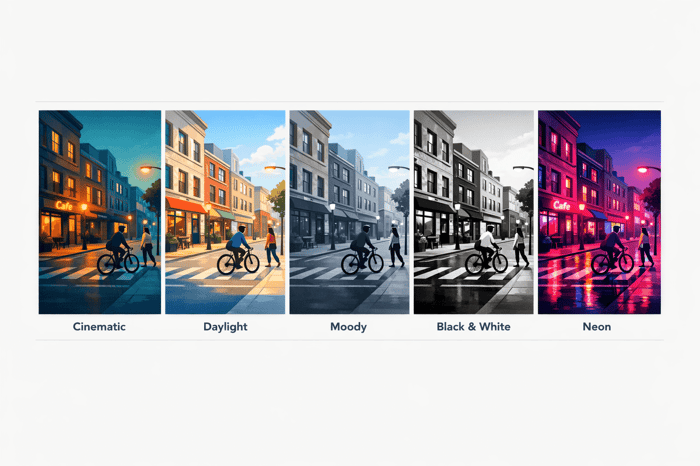
Want to give your photos a movie-like touch? Cinematic fade presets in Lightroom simplify the process, adding a soft matte finish, muted colors, and lifted shadows to your images. Here’s a quick rundown of the top 5 presets that can transform your photos:
- Vellum Fade Soft Matte: Perfect for portraits and weddings, it softens blacks and highlights for a printed, timeless look.
- Vintage Film Fade Portrait: Inspired by classic analog film, it warms midtones and cools shadows, ideal for golden hour portraits.
- Urban Night Fade Cinematic: Designed for nighttime cityscapes, it pairs deep teal shadows with warm highlights for a dramatic urban vibe.
- Daylight Story Fade Travel: Adds a sunlit, cinematic glow to travel photos, balancing warm tones with subtle fades.
- High Contrast Fade Noir: A bold, near-monochrome preset that evokes vintage film noir, great for dramatic portraits and street photography.
Each preset caters to different styles and lighting conditions, making it easy to achieve professional results with just a click. Whether you're editing portraits, travel shots, or urban scenes, these presets save time while delivering stunning visuals. Start experimenting with these tools to create your cinematic masterpiece.
FREE Lightroom Preset "Vellum Fade" | The Ultimate Soft Matte Look
sbb-itb-b27063b
What Makes a Cinematic Fade Look
Cinematic fades are all about achieving a matte finish, softened blacks, and subdued colors. Instead of sharp, true blacks, shadows are softened into a dark gray, giving that signature matte effect. Colors are toned down to avoid an overly saturated, digital feel. This distinct aesthetic is what preset tools aim to replicate, saving you from time-consuming manual edits.
One standout feature of this style is split-toning, where shadows and highlights are treated with different hues. A classic example is the "Orange and Teal" look - warm golden highlights paired with cool teal shadows. This pairing creates depth and gives images that polished, cinematic quality. Lightroom's tools make achieving this look straightforward.
"Cinematic color grading in photography is the process of altering and enhancing the color and light of an image to evoke a specific emotional response and establish a movie-like visual narrative." - Skinner, Professional Photographer and Founder, Cinemora Presets
While presets simplify the process, understanding the tools behind them helps you appreciate the craftsmanship involved. Here's a breakdown of the key tools:
- Tone Curve: Adjusting the curve can fade blacks by raising the bottom-left point and soften highlights by lowering the top-right. This creates a smooth, film-like transition and avoids harsh digital clipping.
- Color Grading Panel: Apply cool teal tones to shadows and warm gold tones to highlights. This classic split-tone effect is central to the cinematic look.
- HSL Panel: Desaturate most colors for a muted palette, but keep the Orange channel intact to maintain natural skin tones.
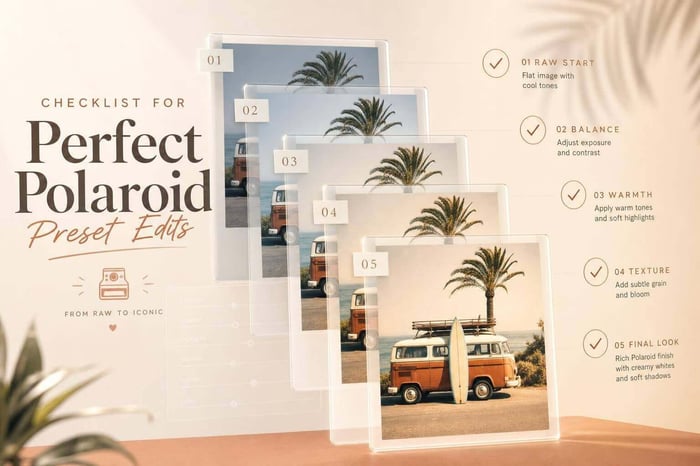
To complete the effect, add a touch of grain. Set Grain Amount to about 15–20, Size to 25, and Roughness to 30 using the Effects panel. This mimics the texture of analog film without overdoing it. Shooting in RAW format is essential to preserve shadow and color details, allowing for more dramatic adjustments.
1. Vellum Fade Soft Matte Preset
The Vellum Fade Soft Matte Preset draws inspiration from vellum paper, a semi-translucent material often used in premium printing. Its purpose? To give your photos a tangible, printed look - stepping away from the overly crisp, digital feel of a screen. This is achieved by adjusting the black point on the RGB Tone Curve, transforming shadows into soft charcoal hues instead of stark blacks.
Fade Strength
This preset introduces a carefully crafted fade, turning deep blacks into a muted gray. The result is a full matte effect that strips away the sharpness typical of modern RAW images.
"Inspired by the semi-translucent quality of archival vellum paper, the Vellum Fade aesthetic creates a 'printed-page' feel by lifting black points into smoky grays and softening digital highlights." - Presetpro
Color Mood
The color tones are subtle and natural, leaning into warm midtones while toning down overly vibrant hues. This ensures a polished and timeless look, steering clear of anything overly trendy. The muted palette works hand-in-hand with the matte effect, creating images that feel sophisticated and balanced.
Ideal Use Cases and Lighting Conditions
This preset shines in portraits and wedding photography, where a soft, emotive feel is often desired. It’s especially effective at managing harsh highlights, gently rolling off the brightest areas to maintain balance. Whether you’re shooting in direct sunlight or mixed indoor lighting, this preset adapts beautifully. Just make sure to shoot in RAW to maximize its tonal capabilities.
If the lifted shadows make your photo feel too flat, consider increasing the Texture slider by +10 to +20 to bring back some detail. A small bump in Exposure can also help keep the midtones fresh and well-defined.
2. Vintage Film Fade Portrait Preset
This preset takes the soft matte aesthetic and blends it with a nostalgic film-inspired look, making it perfect for portraits.
Unlike the Vellum Fade preset, which leans into a printed archival style, the Vintage Film Fade Portrait Preset draws its inspiration from classic cinema and analog film stocks like Kodak Portra 160. Instead of relying on color overlays, it uses Lightroom's camera calibration, tone curves, and HSL adjustments to create that soft, film-like palette.
Fade Strength
The fade effect here is gentle to moderate. Shadows are subtly lifted, and highlights are smoothly rolled off. This creates an effect that feels like a genuine movie scan - smooth and cohesive, without the harshness sometimes associated with digital edits. The balanced fade makes it an excellent foundation for the warm, nostalgic color tones this preset offers.
Color Mood
The preset delivers a warm, cinematic tone. Midtones carry a rich, analog warmth, while highlights are tinted with beige or orange hues. Shadows are cooled down with a touch of blue. This muted, atmospheric color scheme feels intentional and refined, avoiding the overly processed look of many filters. Importantly, skin tones remain natural and flattering, making it particularly suited for portraits.
Ideal Use Cases and Lighting Conditions
This preset shines in natural light portraits and editorial photography, especially during golden hour or with soft, directional lighting. Overcast or diffused light further enhances its tonal depth. For darker images, it’s a good idea to slightly increase exposure before applying the preset. Afterward, fine-tune the white balance to achieve the desired effect.
3. Urban Night Fade Cinematic Preset
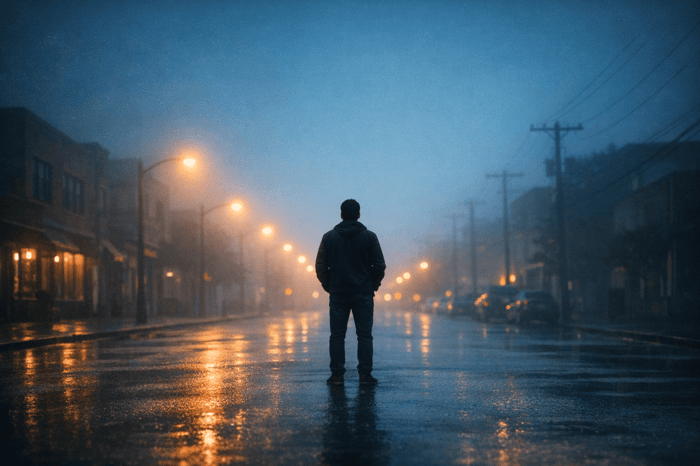
The Urban Night Fade Cinematic Preset brings a moody, gritty vibe to nighttime cityscapes. Unlike the previous preset, this one leans into a darker aesthetic, perfect for capturing the essence of urban nights. It achieves its signature look by lifting the black point through tone curve adjustments and tweaking color profiles to mimic cinematic film stocks. The result? Faded shadows paired with a clean matte finish that feels straight out of a movie scene.
Fade Strength
This preset is all about a strong fade effect. Instead of harsh digital contrast, it introduces lifted blacks that create a smooth, film-scan-like quality. For those who want to tweak the intensity, adjusting the contrast slider or reducing the profile strength can help dial in the perfect balance.
Color Mood
The color profile here is distinct and dramatic. It combines desaturated, lifted shadows with warm midtones and vibrant highlights, reminiscent of orange streetlights glowing against deep teal shadows. This high-contrast palette gives off a cinematic thriller vibe. For portraits, consider manually lowering red, yellow, and orange HSL saturations to keep skin tones looking natural.
Ideal Use Cases and Lighting Conditions
This preset shines in urban settings under artificial lighting. Think street photography, urban landscapes, or nighttime portraits. It works best in conditions where artificial lights - like neon signs, LED-lit buildings, or street lamps - dominate the scene. It’s less effective during twilight or dusk, as the tonal balance might not hold up as well.
Street photographer Mathew D. shares his experience:
"Great presets - they give my street shots that movie-like feel. Super easy to use and totally worth it. Nightfall Teal alone made my last series look like a Scorsese flick!"
After applying the preset, fine-tune settings like Exposure, Contrast, and Blacks to achieve the ideal balance for your shot. This ensures a professional-grade edit while maintaining the streamlined, one-click workflow offered by Presets.io.
4. Daylight Story Fade Travel Preset
While the Urban Night Fade preset is perfect for nighttime shots, the Daylight Story Fade preset brings travel photos to life with a sunlit, cinematic touch. It's tailored for outdoor adventures - whether you're wandering through European cities, cruising on summer road trips, or lounging by the beach. This preset transforms ordinary daylight scenes into frames that feel like they're straight out of a travel movie, adding a warm, inviting glow.
Fade Strength
The fade effect here is subtle, lifting shadows just enough to create a soft matte finish while preserving the finer details. This approach gives photos a "soft cinematic fade", smoothing out harsh contrasts but keeping the image crisp and clear beneath it. Highlights are carefully managed, ensuring bright skies or sunlit sand don't appear overexposed, maintaining balance in your shots.
Color Mood
The color tones lean toward warmth, featuring rich yellow-orange hues with gentle brown undertones. This combination gives photos a nostalgic, film-like feel, perfect for creating a cohesive travel gallery. As Presetlove describes it:
"This effect reminds us of shifts to warm filters in movies, usually whenever a character travels or is on vacation."
Additionally, the preset uses deep channel blending to maintain natural-looking skin tones, ensuring portraits remain true to life.
Ideal Use Cases and Lighting Conditions
This preset thrives in natural light, especially during the golden hour when the sun casts its warmest glow. It's best suited for well-lit scenes, though minor adjustments may be needed for overcast conditions. For optimal results, shoot in RAW format to provide the preset with more data to work with, particularly when fine-tuning camera calibration and tone curves. After applying the preset, tweak settings as needed to match your specific scene and achieve a polished, cohesive look.
The Ultimate Presets.IO Bundle

$89.00
$1,662.00
The Ultimate Presets.io Bundle combines The Master Preset Bundle Volume I and The Master Preset Bundle Volume II into one complete collection, giving you every editing style you need in a single download. Save $37 vs. Volume I and II… continue reading
5. High Contrast Fade Noir Preset
The High Contrast Fade Noir Preset takes inspiration from the moody, dramatic style of vintage film noir. Unlike the warm, sunny tones of the Daylight Story Fade preset, this one leans into deep shadows, bold contrasts, and an atmosphere straight out of 1940s–'50s cinema.
Fade Strength
This preset creates its signature look by lifting the black point on the RGB Tone Curve, turning true blacks into smoky charcoal tones. As Skinner, founder of Cinemora Presets, explains:
"Faded, matte shadows are the secret weapon of high-fashion editorials and vintage photography."
The result is a balance of crushed blacks and matte shadows, which keeps the image intense but not overly sharp or clinical. If the effect feels too heavy, you can adjust the Contrast slider by +10 to +25 or tweak the bottom-left point of the Tone Curve.
Color Mood
The color palette for this preset is heavily desaturated, almost monochrome, creating a gritty and atmospheric vibe. As Presets.io notes:
"Film Noir presets mimic the iconic look of classic film noir movies from the 1940s and 50s, with high contrast, deep shadows, and desaturated colors for a moody and gritty atmosphere."
This muted palette enhances the subject's presence while adding depth to shadow-filled backgrounds.
Ideal Use Cases and Lighting Conditions
This preset shines in urban street photography, dramatic portraits, and high-fashion editorials. It works best in bright, high-contrast sunlight or low-light neon scenes. However, it’s not ideal for flat or underexposed images, as it could lose crucial details. To ensure clarity and definition, consider boosting the Texture slider by +10 to +20 or adding some Contrast. Shooting in RAW is recommended, as the preset's tone curve and HSL adjustments require ample image data to achieve the desired effect.
Preset Comparison Table
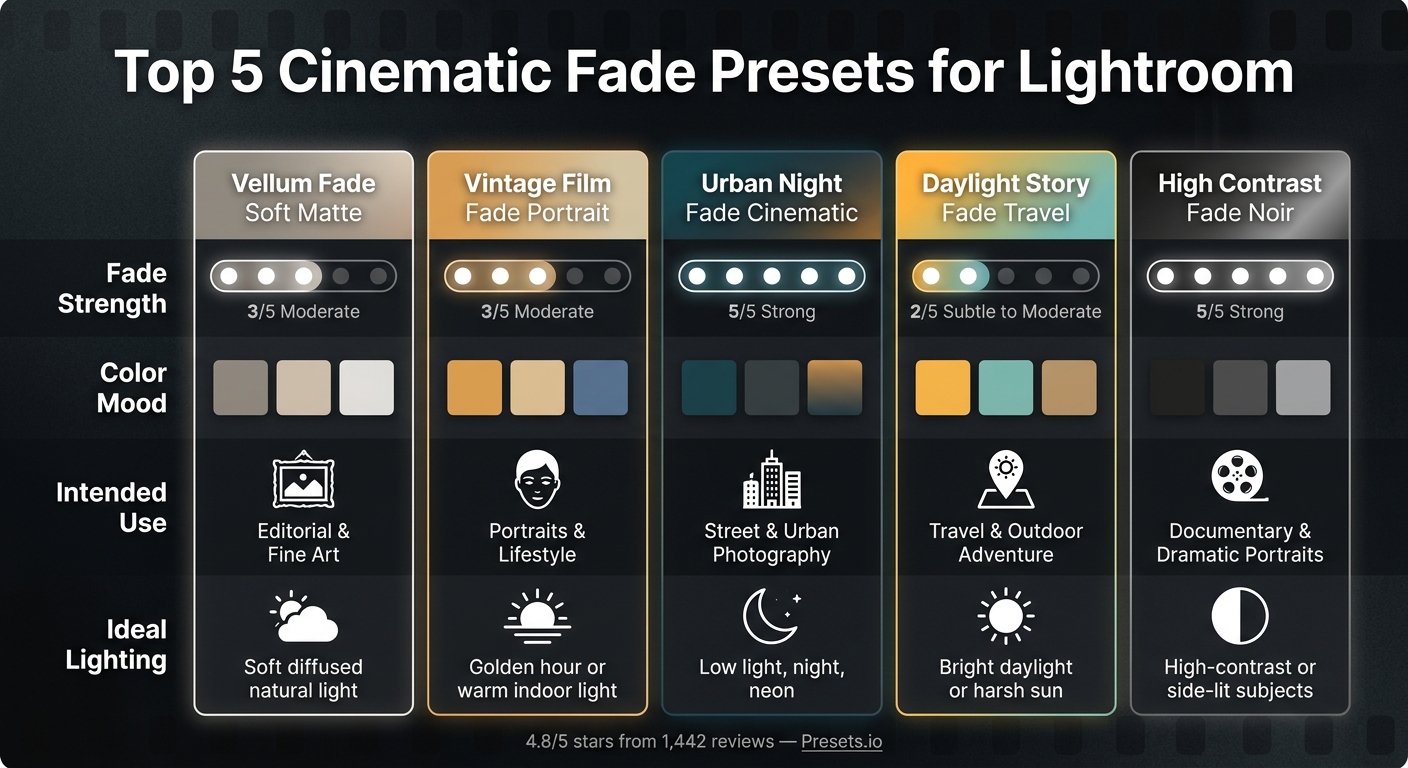
Top 5 Cinematic Fade Presets for Lightroom: Side-by-Side Comparison
Each of the five presets brings its own flair, tailored to different subjects, lighting conditions, and moods. Picking the right one depends on the look you're aiming for. Here's a side-by-side breakdown of their key features to help you create a cinematic edit.
| Preset | Fade Strength | Color Mood | Intended Use | Ideal Lighting |
|---|---|---|---|---|
| Vellum Fade Soft Matte | Moderate | Muted, neutral, soft highlights | Editorial & fine art | Soft, diffused natural light |
| Vintage Film Fade Portrait | Moderate | Warm analog tones, nostalgic color casts | Portraits & lifestyle | Golden hour or warm indoor light |
| Urban Night Fade Cinematic | Strong | Cool, desaturated, deep shadows | Street & urban photography | Low light, night scenes, neon |
| Daylight Story Fade Travel | Subtle to moderate | Teal and orange, vibrant but faded | Travel & outdoor adventure | Bright daylight or harsh sun |
| High Contrast Fade Noir | Strong | Near-monochrome, dramatic blacks, gritty | Documentary & dramatic portraits | High-contrast or side-lit subjects |
Presets with stronger fades, like Urban Night Fade and High Contrast Fade Noir, create bold, dramatic effects, while softer fades, such as Vellum Fade and Daylight Story Fade, offer more flexibility for a variety of shots. The Vintage Film Fade stands out for its warm, nostalgic tones, contrasting sharply with the cool, moody vibe of Urban Night Fade.
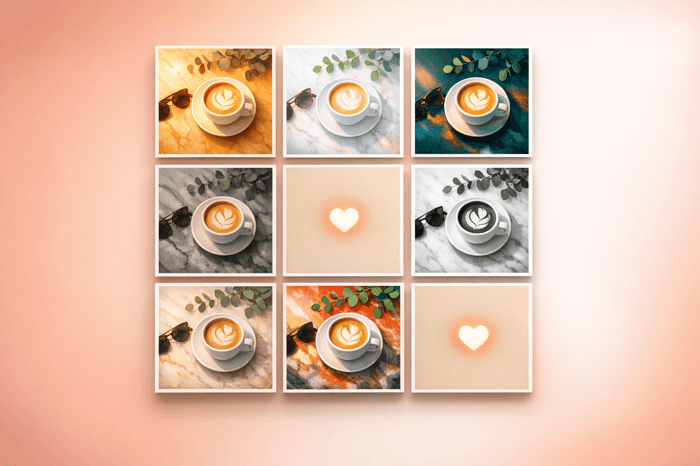
For a cohesive look, especially on a social media feed or within a photo series, it's best to stick with one preset across images taken in similar lighting conditions, or explore comprehensive preset bundles for more variety. This approach ensures consistency and a polished aesthetic.
Conclusion
Cinematic fade presets can make your editing process smoother while adding that polished, film-inspired touch to your photos. Whether it's the gentle elegance of Vellum Fade or the bold intensity of High Contrast Fade Noir, each preset brings its own unique style. These presets are meticulously crafted, incorporating adjustments like tone curves and split-toning to achieve that signature cinematic feel.
Experiment with applying different presets to a single image to find the one that resonates with your vision. If a preset feels overly intense, tweak the Tone Curve for balance or introduce a subtle vignette for a softer effect.
"These Presets helped me and saved me so much time when editing my photos they are fabulous." - Dulce H.
Looking to elevate your editing game? Check out more cinematic and vintage collections at Presets.io. With an impressive 4.8 out of 5 stars from 1,442 reviews, it’s a reliable resource for both beginners and experienced editors looking to enhance their toolkit.
FAQs
How do I choose the best preset for my lighting?
To pick the right preset for your lighting, think about the mood and brightness of your scene. For nighttime or low-light shots, go for presets that emphasize cool tones and deepen shadows. On the other hand, for daytime or golden hour photos, choose presets that bring out warm tones like yellows and oranges. Once you've applied a preset, make adjustments to settings like exposure, contrast, and white balance to get the perfect look for your image.
Why do my photos look washed out after a fade preset?
Photos can sometimes look washed out after using a fade preset. This happens because the preset softens shadows and highlights to create a matte, film-inspired look. While this effect can be appealing, it might make images feel flat, especially in bright or low-contrast lighting conditions.
To address this, you can tweak a few settings:
- Adjust exposure, contrast, or highlights to restore balance.
- Boost saturation if colors appear muted.
- If the image still lacks depth, try increasing the exposure slightly before applying the preset. This can help preserve a sense of dimension in the final result.
Small adjustments can make a big difference in achieving the desired look.
How can I keep skin tones natural with cinematic fades?
To keep natural skin tones while using cinematic fade presets, start by applying the preset and then tweaking the white balance and exposure to suit your specific lighting. Use Lightroom’s HSL panel to refine colors with more accuracy. For even greater control, try local adjustments like masks or brushes to prevent skin tones from being overly altered. Platforms like Presets.io offer a range of presets designed to streamline your editing process.