
Table of Contents
10 Surreal Portrait Ideas to Try
Surreal portrait photography blends reality with fantasy to create dreamlike, thought-provoking images. This style involves techniques like double exposure, motion blur, and creative use of props or editing tools to craft visuals that feel otherworldly. Whether you're merging nature with portraits, using physical barriers to obscure identity, or experimenting with transparent materials, the goal is to push boundaries and evoke emotion. Tools like presets and filters can simplify editing, helping you achieve striking effects with ease.
Key Highlights:
- Double Exposure: Combine portraits with nature for layered, dreamy compositions.
- DIY Haze: Use everyday items like cling film or cellophane for soft, glowing effects.
- Motion Blur: Slow shutter speeds create ghostly or abstract movements.
- Obscured Identity: Masks, veils, or motion blur can add mystery.
- Transparent Props: Sheer fabrics or glass panels create depth and distortion.
- Smoke Effects: Add atmosphere using smoke bombs or incense.
- Artistic Filters: Presets offer quick transformations with surreal tones.
Experiment with these techniques to create portraits that stand out and feel like stepping into a dream. Platforms like Presets.io can help simplify the editing process, letting you focus on refining your artistic vision.
10 Surreal Portrait Photography Techniques and Effects
1. Dreamlike Effects
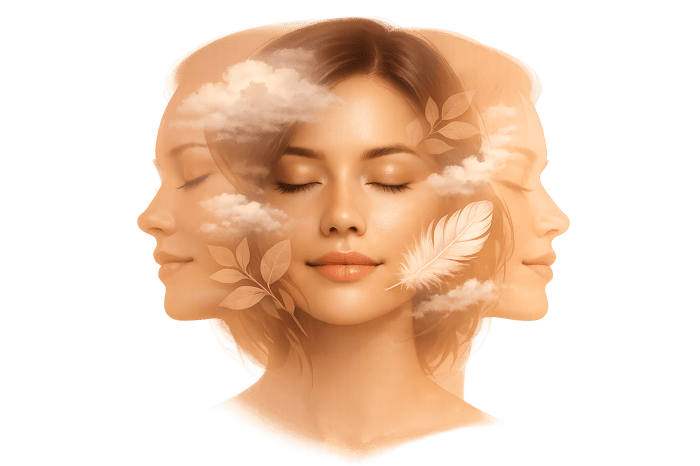
Double Exposure Blending
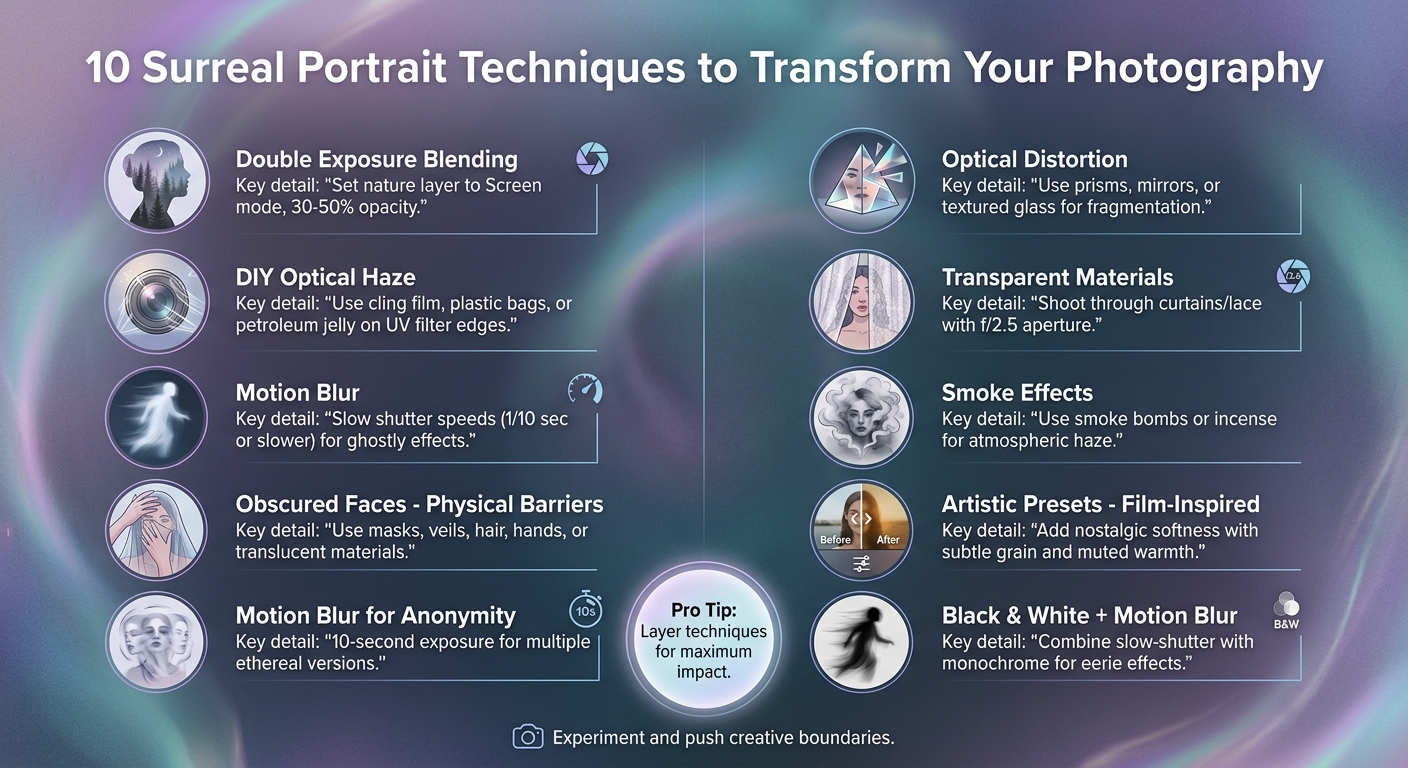
Combining a portrait with nature photos can result in a mesmerizing, dreamlike composition. This technique involves merging two images - often a portrait and a natural element like flowers or landscapes - during post-processing. To achieve this effect, set the nature layer to "Screen" mode or adjust its opacity to around 30%-50%. This balance ensures the subject's features remain prominent while the secondary image adds texture and an air of mystery. For added creativity, consider incorporating optical effects to elevate the surreal vibe.
DIY Optical Haze
You can create a soft, hazy effect using everyday materials. For instance, taping crumpled cling film to the edges of your lens can mimic the appearance of professional filters. Other options, like plastic bags or colored cellophane, scatter light naturally, giving your portraits an ethereal glow. Want more control? Try applying a thin layer of petroleum jelly to the edges of a UV filter, leaving the center clear. This keeps your subject sharp while the surroundings blur gently. For an extra layer of surrealism, play with intentional motion blur.
Motion Blur and Slow Shutter
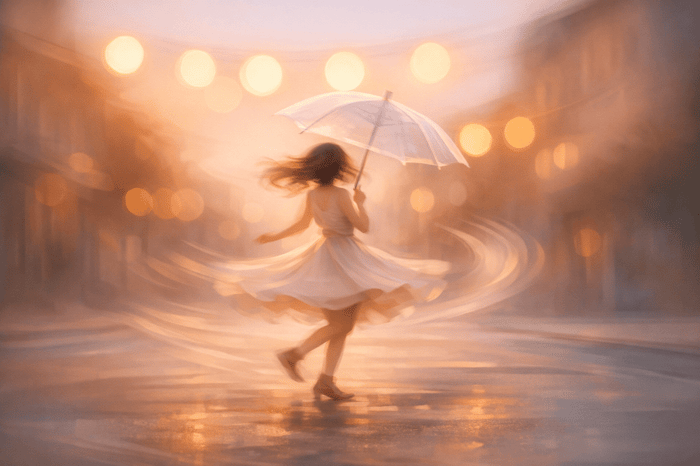
Using a slow shutter speed can capture ghostly figures or abstract movements, adding a mysterious quality to your shots. This technique demands patience and careful timing. Photographer Taya Ivanova emphasizes:
"It's often the shots that are taken slowly and deliberately that turn out best".
Experiment with different shutter speeds to find the perfect balance - where motion adds intrigue without overpowering your subject. Pair this with thoughtful expressions, like a model gazing into the distance or closing their eyes with slightly parted lips, to heighten the moody, surreal atmosphere.
sbb-itb-b27063b
How to shoot SURREAL SELF PORTRAIT photos 📸
2. Identity and Anonymity
Surreal textures, when combined with obscured identity, add layers of intrigue to a photograph, pulling the viewer deeper into its mystery.
Obscured Faces with Physical Barriers
Concealing a subject’s face shifts attention away from their identity and toward the emotional tone of the image. This can be achieved with masks, veils, hair, hands, or even translucent materials like curtains or scaffolding. Photographer Taya Ivanova highlights this technique, stating, "one of the best ways to create pure surrealism is to hide your model's face completely". Another approach is to have the subject turn their back to the camera, removing facial features from the narrative entirely. Incorporating motion can add another layer of anonymity, further dissolving the subject's identity.
Motion Blur for Ghostly Anonymity
Using motion blur is an effective way to obscure facial details and emphasize anonymity. A shutter speed of 1/10 second or slower works well for this effect. Encourage your subject to move their head side-to-side while keeping their body still, creating a ghostly, faceless impression. For a more dramatic outcome, try a longer exposure - such as 10 seconds - to capture multiple, ethereal versions of your subject within a single frame.
Optical Distortion and Fragmentation
Optical tools like prisms, mirrors, or textured glass can fragment and distort a subject’s face, turning it into abstract shapes that defy recognition. Playing with light can also achieve striking effects. Positioning a single light source below your subject creates geometric shadows that fragment their features. Photographer Desiree Sydow explains, "Lighting from below, especially, gives you a very unnatural look... it can be great for a very bizarre, outer-worldly effect".
3. Physical Manipulation
Incorporating physical props and materials can take surreal portrait photography to a whole new level. These real-world elements bring texture and depth to your shots, encouraging viewers to see the image as more than just a flat photograph. By combining these with abstract techniques, you can achieve surreal effects that feel tangible and layered.
Transparent Materials for a Dreamy Effect
Using transparent materials like curtains, lace, or sheer fabrics can add a soft, mysterious touch to your portraits. Shooting through these materials creates an intriguing barrier between the subject and the camera. To emphasize this effect, try using a wide aperture (around f/2.5) to keep your subject in sharp focus while blurring the foreground layers for a dreamy look. For a more experimental approach, apply aloe vera gel or Vaseline to a glass panel and shoot through it. This creates a painterly, distorted effect - just be sure to coat the glass, not your lens!
Adding Atmosphere with Smoke
Smoke can be a powerful tool for creating a surreal atmosphere in your portraits. Smoke bombs or even simple incense sticks can produce a hazy, dreamlike background that partially obscures your subject, adding layers of mystery and enhancing the ethereal vibe of the scene.
The Travel Bundle

$39.00
$120.00
The Travel Bundle is a curated collection of Lightroom presets designed to enhance the beauty of destinations around the world — from lush forests and dramatic landscapes to tropical coastlines and icy Nordic scenery. Featuring presets from Evergreen, Iceland, Landscape, Sea… continue reading
4. Artistic Filters and Presets
Instant Surreal Transformations
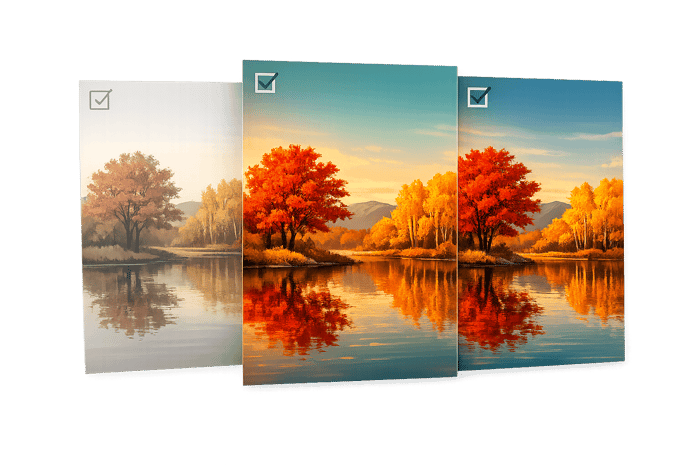
Presets offer a quick and effective way to apply dreamlike effects with just one click. For example, soft focus presets can add a mystical glow, instantly enhancing portraits with an ethereal quality. Color-grading presets, such as those with greenish tones or high-contrast cyan, can evoke a sense of mystery and intrigue. Trying out different preset styles can help you refine the mood of your images.
Film-inspired presets bring a nostalgic softness to portraits, creating a dreamlike atmosphere. As the Skylum Blog explains:
"New Black... trades photorealism for emotional memory, so skin and light feel softened and a little unreal".
This effect is achieved by introducing subtle grain and muted warmth, giving portraits a timeless, almost otherworldly quality.
Black and white presets also shine when combined with motion blur techniques. For instance, converting slow-shutter portraits to monochrome can amplify a ghostly, eerie feel. The interplay between motion blur and monochrome tones pulls viewers into a more surreal and captivating narrative.
When experimenting with presets, try them under different lighting conditions - bright, neutral, or shadowed - to maintain skin details. If skin tones appear overly orange, adjust by reducing orange saturation by 5–15 points and slightly cooling the white balance.
For professional-grade results, start by applying a base preset to correct exposure and white balance. Then, layer a LUT (Lookup Table) over it to achieve a polished, stylized color grade.
To simplify your creative process, check out the curated collections at Presets.io. These collections are designed to make enhancing portrait photography straightforward and effective. Incorporating these preset techniques alongside on-set effects can help you craft striking, unreal portraits effortlessly.
Conclusion
Dreamlike portrait photography pushes the boundaries of traditional techniques, inviting both creativity and experimentation. As photographer Taya Ivanova aptly says:
"Surreal portrait photography forces you out of your comfort zone. You have to take innovative techniques to achieve these otherworldly, surreal images."
This genre isn’t just about creating visually stunning images - it’s also a chance to enhance your technical skills in shooting and post-production, while uncovering artistic styles you might not have explored otherwise.
By embracing the techniques covered earlier, you can unlock a deeper level of creativity. The magic of surrealism lies in its ability to merge emotion with imagination, transforming your subjects into pieces of art that provoke thought and stir emotions. Whether you’re experimenting with slow shutter speeds for ghostly effects, altering scale in editing, or incorporating transparent materials during the shoot, each method opens doors to new creative horizons.
For added ease, tools like artistic filters and presets can streamline your process. Platforms like Presets.io offer collections featuring film-inspired tones, ethereal colors, and atmospheric effects. These presets handle key adjustments like exposure, tone curves, and color grading, giving you a polished foundation to build upon. With the technical groundwork taken care of, you’re free to focus on pushing your creative limits.
Ivanova’s advice is worth keeping in mind:
"Surreal portrait photography is more successful the more experimental you get."
Start small - try dreamlike double exposures or compositions that obscure identity - and gradually refine your approach. Experiment with unusual camera settings, introduce unexpected props, and combine practical effects with post-processing techniques to create something truly original.
So, grab your camera, pick a concept, and dive into the world of dreamlike portrait photography. Share your creations online - the photography community thrives on inspiration, and your vision might just ignite someone else’s creativity.
FAQs
What camera settings work best for motion blur portraits?
To capture motion blur in portraits, start by setting a slow shutter speed - anywhere from 1/15 of a second to several seconds, depending on the effect you're aiming for and the available light. Use a tripod to keep the camera steady and prevent unintentional shake. Then, fine-tune the ISO and aperture to ensure the exposure is balanced. This technique allows the motion blur to come from the subject's movement, adding a dynamic and almost dreamlike quality to the shot.
How do I make double exposure portraits look natural?
To create double exposure portraits that feel organic, concentrate on smooth blending by thoughtfully choosing your subjects and applying editing techniques that bring harmony to the composition. Try incorporating creative elements like nature overlays, textured silhouettes, or motion effects, making sure the tones and styles align well. High-quality presets can also be a game-changer, helping you achieve consistent color grading and contrast for a polished, cohesive final image.
What’s the easiest way to get a surreal look using presets?
The simplest way to achieve a surreal aesthetic in your photos is by using Lightroom presets specifically crafted for artistic and surreal effects. Platforms like Presets.io offer collections that elevate textures, enhance colors, and tweak lighting to give your images an otherworldly vibe - all with a single click. These presets take the guesswork out of complex editing, allowing you to turn everyday photos into striking surreal creations without spending hours on manual adjustments.