
Table of Contents
Top Platforms for Sharing Lightroom Presets
Lightroom presets have become a must-have for photographers looking to streamline editing and create standout images. Sharing these presets not only helps others improve their work but also builds connections, boosts visibility, and opens up new opportunities for creators. Whether you're a beginner or a seasoned editor, platforms like Presets.io make the process simple and effective.
Key Takeaways:
- Presets.io is a leading platform for sharing and discovering presets, offering over 700 options across various styles and themes.
- It provides user-friendly tools for exporting presets in desktop (.xmp, .lrtemplate) and mobile (.dng) formats.
- Features like before-and-after previews, organized collections, and competitive pricing (e.g., $49 for bundles) make it a standout choice.
- Social media (Instagram, Pinterest) and online communities (Reddit, Facebook groups) are excellent for promoting and sharing your presets.
- Focus on clear organization, engaging previews, and user interaction to maximize reach and downloads.
Platforms like Presets.io simplify sharing while fostering collaboration among photographers. Ready to share your presets? Here’s how to get started.
How To SHARE Lightroom Mobile Presets (No Computer Needed!)
Presets.io: The Top Marketplace for Lightroom Presets
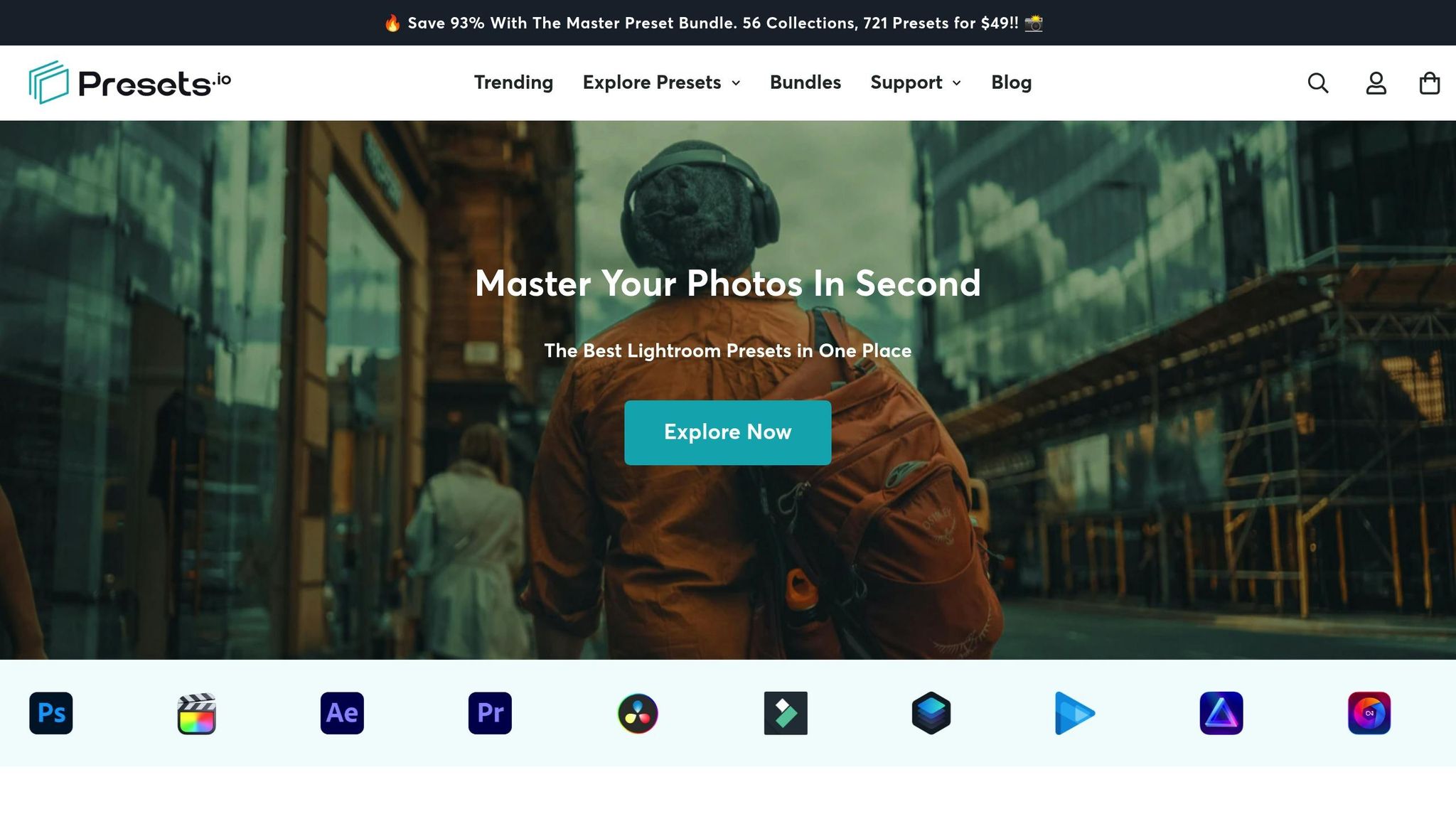
Presets.io has become a go-to hub for photographers looking for top-tier Lightroom presets. With a stellar 4.8-star rating from 1,410 reviews, it's no surprise the platform is often hailed as "The Best Lightroom Presets in One Place."
What sets Presets.io apart is its dedication to offering expertly crafted presets designed by seasoned photographers. Even its free presets maintain the same high standards as its premium options, making it a reliable choice for those who want polished, professional results without spending hours perfecting manual adjustments.
The platform keeps things fresh with weekly updates, consistently adding new preset collections that reflect current trends and seasonal aesthetics. Whether you’re after cinematic tones or timeless vintage vibes, there’s always something new to explore. This constant evolution ensures a wide variety of styles for photographers of all tastes.
A Collection for Every Style and Occasion
Presets.io boasts an extensive catalog that caters to virtually every photography style and aesthetic. With clearly defined categories, discovering the perfect preset is quick and easy. Their Master Preset Bundle alone features 56 collections containing 721 presets, offering unparalleled variety.
The platform’s collections include presets for dramatic, cinematic looks with bold contrast and color grading, nostalgic film-inspired styles that mimic classic stocks like Kodak Portra, and Instagram-friendly edits designed to shine in any lighting condition.
For those with specialized needs, Presets.io offers collections tailored to specific themes and occasions. Wedding photographers can find romantic presets ideal for capturing matrimonial moments, while travel enthusiasts might enjoy the Moody Tropical collection for breathtaking landscapes.
Presets.io doesn’t stop at photography - it also supports creators across multiple platforms. Their offerings include styles for Capture One and Luminar NEO, as well as LUTs compatible with popular video editing tools like Adobe Premiere, Final Cut X, DaVinci Resolve, and Filmora. This versatility makes Presets.io a one-stop shop for creators working in both photo and video editing.
Simple and Convenient Features
Presets.io isn’t just about variety; it’s also designed for ease of use. After purchasing, users can download their presets instantly, with backup access available via email or their account dashboard. Installation is straightforward, thanks to detailed guides covering desktop formats (XMP and LRTEMPLATE files) and mobile versions (DNG files).
The platform also prioritizes flexibility, ensuring presets work seamlessly across Lightroom’s desktop and mobile apps. This allows photographers to maintain a consistent editing style no matter which device they’re using.
To make browsing effortless, Presets.io includes filters for style, mood, and software compatibility. Preview images and before-and-after comparisons help users choose presets that align with their creative vision, eliminating guesswork.
When it comes to pricing, Presets.io keeps things transparent. Individual collections are typically priced at $12.00 (down from $27.00), while bundles like the Master Preset Bundle offer incredible value at $49.00 (originally $672.00, a 93% discount). This straightforward pricing helps photographers plan their purchases and get the most for their money.
Top Methods for Sharing Your Lightroom Presets
Once you've crafted eye-catching Lightroom presets, the next step is figuring out how to share them effectively. The goal is to make your presets easy to access, compatible across platforms, and appealing to your audience.
Exporting and Packaging Presets
The first step to sharing your presets is exporting and packaging them properly. Lightroom supports different file formats depending on your audience and the version of Lightroom they’re using.
For desktop users, export your presets in .xmp and .lrtemplate formats. The .xmp format works with newer versions of Lightroom (Classic CC and later), while .lrtemplate files are compatible with older versions. To export, go to the Develop module, right-click on your preset, and select "Export." Pick the format that best suits your audience.
For mobile users, export your presets as DNG files, which can be imported directly into the Lightroom mobile app. This ensures your presets retain their intended look, no matter the device.
To make everything user-friendly, organize your presets in clearly labeled folders. Include a readme file with installation instructions, version notes, and preview images. For creators looking to expand their reach, consider adding LUT files (.cube) for video editing software.
Using Cloud Storage and Social Media
Once your presets are ready, it’s time to distribute them. Cloud storage platforms like Google Drive and Dropbox are excellent for sharing preset packages. Simply upload your files, generate shareable links, and ensure the settings allow anyone with the link to download them. Organize the presets into collections, such as "Retro Vibes" or "Portrait Enhancers", to make browsing easier.
Social media is another powerful tool for promotion. On Instagram, showcase your presets with before-and-after images that highlight their transformative effects. Add download links in your bio or posts to guide followers to your presets. Pinterest is another great platform - create visually appealing pins with sample edits and direct links to your presets, and use hashtags like #LightroomPresets or #PhotographyTips to reach more users.
Engage with your audience by responding to comments, answering questions, and sharing editing tips. This interaction helps build a loyal following and encourages people to share your presets with others.
Connecting with Online Communities
Online communities are a treasure trove for sharing your presets and connecting with like-minded creators. Platforms like Reddit, Facebook groups, and specialized photography forums are filled with users eager to discover new editing tools.
For instance, Reddit has photography subreddits where you can share your presets, gather feedback, and refine your collections. Facebook groups focused on specific niches - like wedding photography or landscape editing - offer direct access to audiences who will appreciate your work.
These communities aren’t just about sharing; they’re also about learning and collaborating. Feedback from these groups can help you improve your presets, while networking opportunities may lead to collaborations or cross-promotions. By actively participating - offering tips, answering questions, and sharing insights into your editing process - you can build trust and encourage others to share your presets naturally.
Luminar Neo Cross-Device Perpetual Desktop Software

$129.50
$159.00
Luminar Neo Cross Device Perpetual Desktop Software Luminar Neo is a visionary AI-powered photo editor that redefines creativity with cutting-edge technology. Effortlessly achieve studio-quality results with next-gen tools designed to empower and inspire. Harness the power of GenAI to erase… continue reading
sbb-itb-b27063b
Best Practices for Maximum Reach and Impact
If you want your presets to gain traction and stand out, presentation and engagement are non-negotiable. The difference between a preset that gets downloaded thousands of times and one that fades into obscurity often boils down to how well it's showcased and how effectively you connect with your audience.
Creating Compelling Preview Images
Your preview images are the first thing potential users notice, so they need to make an impact. A great way to do this is by using before-and-after comparisons. These comparisons let users see the magic of your preset in action. Make sure to use the same photo for both sides of the comparison, keeping the lighting and camera settings consistent. This ensures the difference is entirely due to your preset.
To make these comparisons even more engaging, consider using side-by-side layouts or interactive sliders. These tools let users visually experience the transformation, making your presets more appealing. Also, choose your demo images wisely - authentic photos resonate more than generic stock images. For instance, if you're showcasing a "Vintage Film Look", opt for a real portrait or landscape that benefits from that aesthetic. Adding short captions like "Cinematic Mood" or "Light & Airy" can further guide users toward the style they’re after.
Showcase versatility by demonstrating your presets on a variety of subjects - portraits, landscapes, indoor shots, etc. This not only highlights how adaptable your presets are but also reassures users that they'll work across different photography styles. Strong, clear previews don’t just grab attention - they inspire users to give your presets a try.
Getting User Feedback and Interaction
Engagement doesn’t stop at downloads - it’s a continuous process. Answering questions about compatibility or installation builds trust and positions you as a reliable creator.
Encourage users to share their edited photos featuring your presets. Ask them to tag your brand when posting on social media. This kind of user-generated content acts as a real-world demonstration of your presets and can even serve as free marketing. You could also host contests or giveaways for users who share their results, creating buzz while showing off your presets in action.
Reviews and ratings are another powerful way to build credibility. For example, Presets.io displays a rating of "4.8 out of 5 stars based on 1,410 reviews", which immediately reassures potential buyers. To encourage more feedback, follow up with users after downloads. Small incentives - like a discount on future purchases - can go a long way in prompting reviews.
Platforms that allow ratings and comments tend to drive more visibility. Highly rated presets with active discussions often see a significant boost in downloads. According to industry data, creators who actively engage with their audience can see up to a 30% increase in downloads compared to those who don’t interact.
Organizing Your Presets for Easy Navigation
Once you've captured attention and built engagement, organization becomes key. Grouping your presets by style - like "Cinematic", "Vintage Look", or "Light & Airy" - makes it easier for users to find the aesthetic they’re seeking.
Another effective strategy is to create theme-based collections. For instance, you could offer a "Wedding Preset Collection" or a "Holiday Bundle" for seasonal photography. Presets.io does this well, with collections like the "Retro Film Preset Collection" and the "Pumpkin Spice Preset Collection", which cater to specific themes and occasions.
Bundles are another great way to simplify choices while increasing perceived value. Names like "The Master Preset Bundle" or "The Cinematic Bundle" make it clear what users are getting and often encourage them to purchase more.
Be strategic with naming and keywords. Titles like "Moody Cinematic Black Film" or "Minimalist Portrait Pack" not only describe the style but also improve searchability within your library. Highlighting new releases or popular presets - such as through a "New Presets Weekly" section - keeps your offerings fresh and encourages repeat visits. A "Featured Presets" area can also spotlight your best work for first-time visitors.
Behind the scenes, keep your files organized with clear folder structures and include README files with installation instructions. When users can easily navigate, install, and use your presets, they’re more likely to leave positive reviews and recommend your work to others.
Conclusion: Building a Collaborative Community
Sharing Lightroom presets goes beyond simply exchanging files; it’s about creating a space where photographers can learn from one another, grow together, and spark creativity. By sharing your editing techniques through presets, you’re contributing to a community that makes professional-quality photography accessible and accelerates creative exploration.
The photography world thrives on this sense of collaboration. Platforms like Presets.io, which boasts a strong rating, showcase how well-designed spaces can foster real connections between creators and users. These platforms aren’t just about downloads - they’re hubs where feedback circulates, techniques are shared, and photographers discover fresh styles to experiment with.
Preset sharing also narrows the gap between beginners and seasoned photographers. Beginners can instantly tap into years of expertise, while experienced photographers gain new perspectives from up-and-coming talents. This constant exchange of ideas fuels a cycle of learning and innovation that benefits everyone involved.
This spirit of collaboration - reflected in the countless presets shared every day - drives ongoing creative growth within the community.
For those ready to dive in, Presets.io makes it easy to share and discover with step-by-step installation guides and weekly new releases. Whether you’re sharing your first preset or your hundredth, each contribution can inspire someone else and help them achieve their creative vision.
FAQs
What are the best ways to use social media to promote my Lightroom presets and boost downloads?
To promote your Lightroom presets effectively on social media, focus on creating content that grabs attention and highlights what makes your presets stand out. Share eye-catching before-and-after images or videos to show how your presets transform photos. Emphasize specific styles, like a moody cinematic vibe or a nostalgic vintage touch, to appeal to users with those preferences.
Leverage platforms like Instagram, Pinterest, and TikTok to connect with a wide audience. Post regularly, use targeted hashtags, and interact with your followers by replying to comments and answering questions. Partnering with influencers or photographers in your niche can also introduce your presets to new audiences and boost your credibility. Lastly, invite your followers to share their edits using your presets and tag you - it’s a great way to build community and increase visibility.
What are the differences between .xmp, .lrtemplate, and .dng Lightroom preset formats, and when should I use each?
Lightroom presets come in three main formats: .xmp, .lrtemplate, and .dng. Each format has its own purpose, depending on how and where you plan to use the presets.
- .xmp: This is the go-to format for Lightroom Classic and Lightroom CC. It works seamlessly with newer versions of Lightroom and Adobe Camera Raw, making it perfect for sharing presets with users on updated software versions.
- .lrtemplate: Designed for older Lightroom versions (before 7.3), this format ensures compatibility for those still using legacy software.
- .dng: Unlike the others, .dng is a raw image file that embeds presets directly into the file. It’s an excellent option for mobile Lightroom users or when you want to share presets with edits already applied to a photo.
The best format depends on your audience. Stick with .xmp for modern setups, .lrtemplate for older software, and .dng if you're focusing on mobile users or showcasing edits visually.
How can I make sure my Lightroom presets work on both desktop and mobile?
When editing photos across devices, it's crucial to choose presets that are built for both desktop and mobile platforms. Many presets are tailored to work smoothly with Lightroom's desktop and mobile apps, making it easy to edit on any device. To keep things straightforward, opt for presets that come with clear, step-by-step installation instructions for both versions.