

Table of Contents
Ultimate Guide to Lightroom Preset Reviews
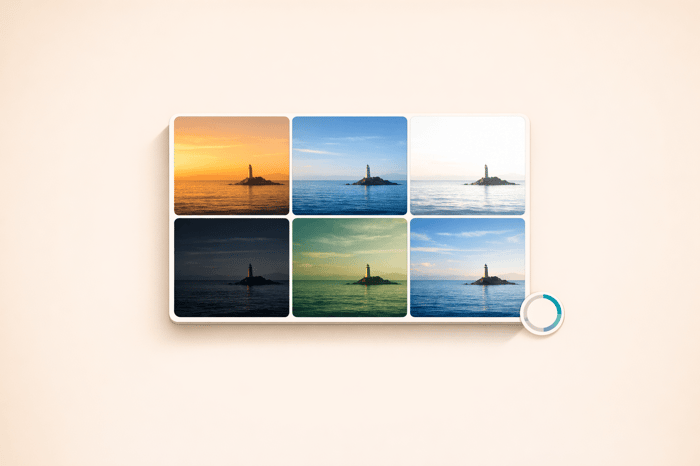
Finding the right Lightroom preset can save time and improve your photo editing workflow. But not all presets are equal, and reviews can help you choose wisely. Here's what you need to know:
- What to Look For: Reviews should evaluate skin tones, highlights, shadows, and how presets perform under different lighting conditions. Look for mentions of flexibility and ease of adjustment. If you're on the go, knowing how to import presets to Lightroom on mobile is essential.
- Where to Find Reviews: Photography blogs, forums, and social media platforms like Instagram and YouTube often feature detailed reviews, including before-and-after photos.
- Key Features in Reviews: Compatibility with Lightroom versions, file formats (RAW vs. JPEG), and whether presets work well across different photography styles.
- Using Reviews to Improve Workflow: Reviews often highlight how presets can streamline editing or require adjustments like exposure and white balance tweaks.
Pro Tip: The best presets act as a starting point, not a one-click fix. Use them alongside manual adjustments for consistent and natural results.
This guide breaks down how to read, evaluate, and use preset reviews effectively. Whether you're editing wedding photos, portraits, or landscapes, you'll learn how to choose new Lightroom presets that align with your style and needs.
How to Find and Evaluate Preset Reviews
Where to Find Preset Reviews
Preset reviews are often found on photography blogs, online forums, and dedicated review platforms. These sources typically evaluate how presets perform under various lighting conditions, giving you a well-rounded perspective. Social media platforms like Instagram, TikTok, and YouTube are also buzzing with active photography communities sharing their experiences and showcasing results.
Customer reviews can be a goldmine of information. Many reputable preset creators feature photo-based reviews where users share before-and-after images. These allow you to see how presets handle different scenarios, including diverse skin tones and lighting setups.
These resources provide a solid foundation for understanding how presets work, setting the stage for analyzing review details more deeply.
What to Look for in Reviews
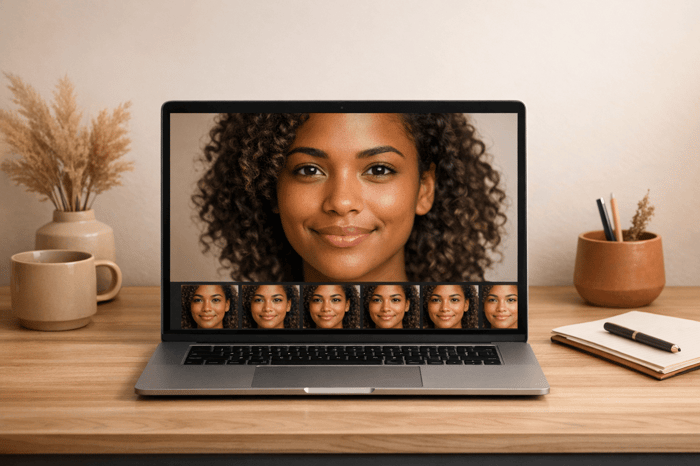
The best reviews focus on core elements like skin tones, highlights, and shadows. Watch for mentions of issues like overly orange skin tones or murky shadows, as these could signal that a preset may not deliver high-quality results.
"The best presets aren't dramatic - they're dependable." – Oli Sa, Author at Shotavix
A detailed review will often explain how a preset adjusts sliders, such as highlights, shadows, and color curves. This transparency lets you understand the editing process, not just the end product. Trustworthy reviews also test presets across various photography styles, including portraits, landscapes, and street photography.
Compatibility is another key factor. Reliable reviews will specify which Lightroom versions and file formats the presets support , including mobile-specific workflows like importing presets to Lightroom on iPhone. Reviews written by professionals with hands-on experience tend to provide more nuanced and practical insights.
As of 2026, the focus in photo editing has shifted toward creating a cohesive visual identity rather than applying one-off styles. High-quality preset reviews now assess whether preset collections include essential variations, such as a daylight base, a shadow-friendly option, and a version optimized for skin tones. This aligns with the growing popularity of film-inspired looks, like those based on Kodak and Fujifilm, which prioritize natural skin tones and well-preserved highlights. These considerations can help you develop a consistent editing workflow that complements your creative goals.
Next, we’ll dive into how to interpret these reviews to gain actionable insights.
sbb-itb-b27063b
I Spent $1000 on Lightroom Presets So You Don’t Have To

How to Read and Interpret Preset Reviews
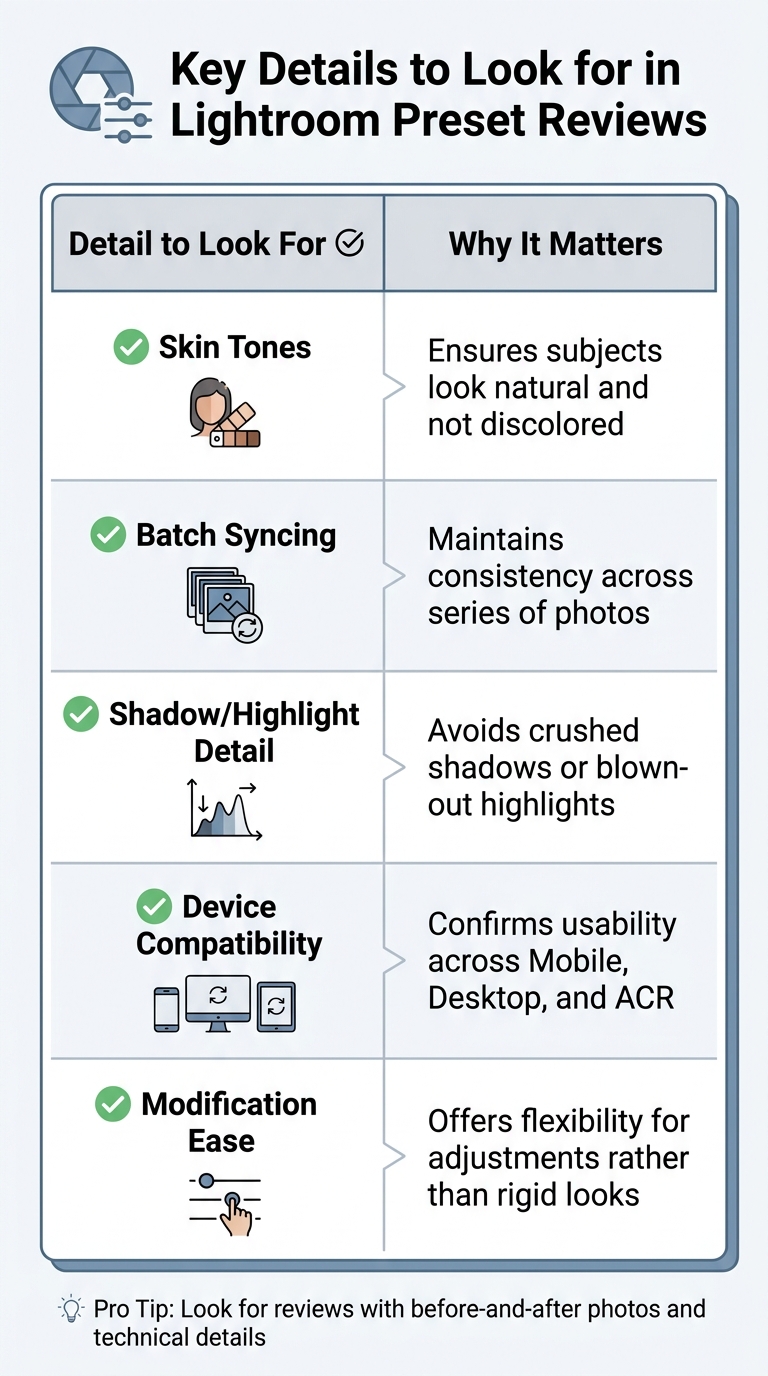
Key Details to Look for in Lightroom Preset Reviews
Understanding What Reviewers Say
Choosing reliable presets can be tricky, but understanding how to interpret reviews can make the process easier. When reading preset reviews, focus on their technical performance rather than subjective opinions about aesthetics. Experienced reviewers often highlight how presets handle critical elements like skin tones, highlights, and shadows, which are essential indicators of quality. For example, if a review mentions that skin tones appear natural and lifelike, that’s a good sign. On the other hand, reviews that warn about subjects looking orange or overly warm suggest poor color grading.
Another thing to look for is how reviewers describe the preset’s role in their workflow. Trustworthy reviewers usually emphasize that presets are starting points, not magic solutions that produce perfect results with one click.
"The worthwhile presets are ones that work very well across the majority of the photos and aim for consistency." – Pye Jirsa, professional photographer
Be cautious of reviews that promise flawless results without any adjustments. Even with high-quality presets, professional photographers often tweak exposure and white balance to get the desired outcome.
"Some presets look perfect on one photo and awful on the next because they're built for specific light." – Skylum
Also, check if reviews mention the preset’s suitability for specific genres. For instance, a preset pack might perform exceptionally well for street or landscape photography but fall short when used for portraits.
Keeping these points in mind can help you better assess a preset’s practical performance.
Identifying Important Details in Reviews
Beyond general impressions, technical specifics are what truly matter. For photographers who handle high volumes of images - like wedding photographers - batch editing efficiency is critical. Reviews should mention whether the preset maintains consistent quality across large batches of photos.
Another key factor is cross-device compatibility. Look for reviews that discuss how well the preset performs on different file types, like RAW versus JPEG, and across platforms such as Lightroom Classic, Lightroom Mobile, and cloud-based Lightroom. Some presets that shine on RAW files may not deliver the same results with JPEGs.
Ease of modification is an equally important consideration. Quality reviews often highlight whether presets allow flexibility, such as including a master opacity slider, or if they lock you into a specific look. Reviews that mention refined tone curves or well-controlled shadows suggest the presets have been thoroughly tested across various cameras and lighting conditions. For instance, Greater Than Gatsby presets maintain a 4.9 out of 5 rating from 1,278 reviews, with many users praising their reliability in challenging lighting scenarios.
Here’s a quick breakdown of key details to watch for:
| Detail to Look For | Why It Matters |
|---|---|
| Skin Tones | Ensures subjects look natural and not discolored |
| Batch Syncing | Maintains consistency across series of photos |
| Shadow/Highlight Detail | Avoids crushed shadows or blown-out highlights |
| Device Compatibility | Confirms usability across Mobile, Desktop, and ACR |
| Modification Ease | Offers flexibility for adjustments rather than rigid looks |
Red flags include reviews that lack customer-submitted photos, fail to mention the creator’s credentials, or don’t reference the seller’s presence on platforms like Instagram or YouTube. If a review doesn’t provide enough clarity on technical performance, reaching out to the creator can help. However, if they fail to respond professionally, it might be a sign of poor customer support.
The Adventure Bundle

$39.00
$105.00
The Adventure Bundle is a carefully curated collection of Lightroom presets designed for photographers who are inspired by travel, discovery, and the great outdoors. Whether you're documenting a weekend getaway or a once-in-a-lifetime expedition, this bundle provides the tools to… continue reading
Using Review Feedback to Improve Your Editing
Feedback from reviews can be a game-changer when it comes to refining your editing techniques. By analyzing user insights, you can make smarter choices about how and when to use presets.
Choosing Better Presets
Reviews often uncover patterns that can save you time and frustration. For instance, if users mention that a preset makes photos look "muddy, too dark, or too orange", it’s a sign that the preset's fixed slider values might not adapt well to varying starting points like exposure or white balance. Instead of dismissing the preset entirely, use this feedback to figure out its strengths and weaknesses. For example, if reviews suggest that a preset struggles in harsh sunlight but works beautifully in open shade, you’ll know exactly when to use it.
Pay close attention to critiques about tone curves. If a preset is described as having overly aggressive tone adjustments, it might crush shadows on underexposed images or blow out highlights in brighter scenes. Similarly, feedback on unnatural skin tones - often an issue with "teal and orange" styles - can indicate whether a preset needs additional local adjustments for portraits. For instance, AAAPresets, which has served over 10,000 customers and seen over 500,000 downloads, stresses that exposure is the top factor contributing to preset inconsistency.
"Think of a preset like seasoning. If one dish is already salty and the other is bland, the same seasoning amount won't taste the same on both." – Asanka, Creator of AAAPresets
These insights can help you use presets more strategically, ensuring they enhance your workflow rather than complicate it.
Adding Feedback to Your Workflow
The key to effective editing is combining manual adjustments for accuracy with presets for style. Reviews often highlight that presets may require "normalization" - adjusting photos to a neutral baseline - before they achieve the desired look. This means starting with corrections for exposure and white balance before applying the preset.
Feedback can also guide you in creating variations tailored to specific conditions. For instance, if reviews mention that a preset behaves differently indoors versus outdoors, consider saving modified versions labeled "Indoor Warm Light" or "Harsh Sun" with tweaks to contrast or shadows. If users point out that a preset is overly sensitive to white balance, look for options that exclude those adjustments so you can control the base color manually. For presets that feel too strong, Lightroom’s preset strength slider is a simple way to tone down the effect without diving into detailed edits. And if reviews mention issues like overly bright skies or darkened faces, be ready to use targeted corrections, such as AI-powered subject or sky masks.
"The best workflow is hybrid: Manual = correctness (exposure, WB, highlight/shadow recovery). Preset = style (tone curve, color mood, finishing details)." – Asanka, Creator of AAAPresets
Presets.io and Their Preset Collections
What Presets.io Offers
Presets.io is a trusted resource for over 60,000 photographers, offering a wide range of presets for Lightroom (Classic, CC, Mobile), Capture One, and Luminar NEO. Their collections are thoughtfully categorized to suit different styles and needs. For example:
- Cinematic: Perfect for creating moody, urban storytelling vibes.
- Vintage & Film: Emulates classic film aesthetics like Kodak Portra and Fuji Film.
- Aesthetic: Ideal for clean, polished social media visuals.
- Specialized Themes: Includes presets for weddings, interiors, and seasonal photography.
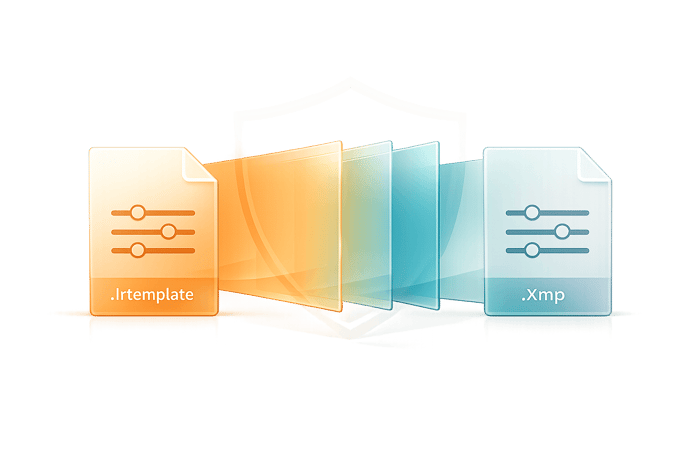
These collections are compatible with multiple file formats, including DNG for mobile, XMP/LRTemplate for desktop, and CUBE files for video LUTs. This versatility ensures seamless integration with popular tools like Adobe Photoshop, Premiere Pro, Final Cut Pro X, and DaVinci Resolve.
For those looking to dive deep, the Master Preset Bundle includes 56 collections (totaling 604 presets), while Volume II adds another 66 collections (687 presets). Individual collections are available for $15.00 (regularly $27.00), and curated bundles like Cinematic or Aesthetic are priced at $39.00 each. This variety provides photographers with plenty of options to enhance their editing toolkit.
What Makes Presets.io Different
Presets.io stands out by offering a curated experience that prioritizes usability and relevance. Instead of overwhelming users with endless random files, they focus on "real-world presets" that help photographers achieve their desired look efficiently. Their reputation is backed by strong customer feedback, including a 4.8/5 star rating from 1,434 reviews and a 4.79/5 rating for the Master Preset Bundle based on 494 reviews.
The platform also keeps up with trends by introducing new presets weekly, ensuring users always have fresh options. Every purchase includes a professional Lightroom editing course valued at $69, designed to enhance users’ editing skills. Additionally, the platform's filtering options - by color (like Blue, Green, Beige) and tags (such as Fashion or Vintage) - make it easy to find the perfect preset for any project. Each bundle also comes with detailed installation and tutorial guides, making it beginner-friendly.
"The Master Preset Bundle contains a very impressive and comprehensive collection of Lightroom presets. As a Kodak Portra film shooter – I went straight to the Portra collection of which #3 was the closest to what I needed." – John M., store visitor
For photographers who value detailed reviews and curated options, Presets.io provides a reliable and efficient way to elevate their editing process. Their thoughtful approach ensures that both beginners and seasoned professionals can find tools that truly complement their creative workflow.
Conclusion
Preset reviews play a vital role in streamlining your editing process and maintaining consistency. They're not just about star ratings - they're a practical resource that helps photographers avoid presets that don't meet expectations. By diving into verified feedback and before-and-after images from real users, you can easily pinpoint presets that align with your shooting style, lighting conditions, and desired aesthetic. Reviews shed light on crucial factors like how well a preset preserves natural skin tones, handles overcast lighting, or avoids edits that might overshadow your subject.
Knowing where to find reviews and how to interpret them can significantly improve your workflow. Strategic use of review feedback allows you to select presets that require minimal tweaking because you've already confirmed their suitability for your typical scenarios. Beyond that, reviews can also be a learning tool. After applying a preset, explore the HSL and color panels to understand the adjustments that shaped the final look. Each edit becomes a chance to grow your skills. As photographer Andy Day from Fstoppers wisely notes:
"If people see the edit before they see the photo, you've gone too far".
This advice is a valuable reminder to choose presets that enhance your images rather than overpower them. For those who prioritize quality and versatility, staying updated through reviews ensures you’re aware of trends like the "soft and natural" aesthetic that's popular in 2026. Whether you're capturing weddings, portraits, or product shots, reviews provide the insights needed to confidently select presets that belong in your editing toolkit, or join The All Access Club for unlimited options.
Key Takeaways
- Start with photo reviews. Focus on reviews that include before-and-after images tailored to your editing needs .
- Use feedback to refine your process. Look for insights on lighting compatibility (e.g., overcast, bright sun, low-light) and cross-platform performance between Lightroom Mobile and Desktop. Treat presets as a learning opportunity by analyzing the adjustments behind the final result.
- Subtle edits make the difference. The best presets enhance your photos without drawing attention to the edits. Opt for collections that offer flexibility and natural results, helping you develop a recognizable and consistent style.
FAQs
How can I tell if a preset will work on my photos before buying it?
To determine if a preset works well with your photos, start by exploring collections that align with your preferred style and typical lighting scenarios. Opt for presets that allow you to fine-tune settings after applying them - this flexibility can make a big difference. Checking out reviews or tutorials can also give you a better idea of how adaptable the presets are. Lastly, look for preview images or demos that showcase how the presets perform on various types of photos. These can help you gauge whether they’ll complement your own images before making a purchase.
Why does the same preset look different on RAW vs. JPEG?
Presets can behave differently on RAW and JPEG files because of the way they interact with the image data. RAW files contain unprocessed data straight from the camera sensor, offering more detail and flexibility for adjustments. In contrast, JPEG files are already processed and compressed, which means some image data has been discarded. This compression can limit how effectively a preset's edits are applied, often leading to noticeable differences in the final appearance.
What quick edits should I do before applying a preset?
Before using a preset, start by making some basic adjustments to get your photo ready. Pay attention to exposure, contrast, highlights, shadows, and white balance to match the lighting and mood you’re aiming for. You can also tweak sliders like clarity, vibrance, and saturation. This helps the preset work more naturally with your image, enhancing it without exaggerating any problems.