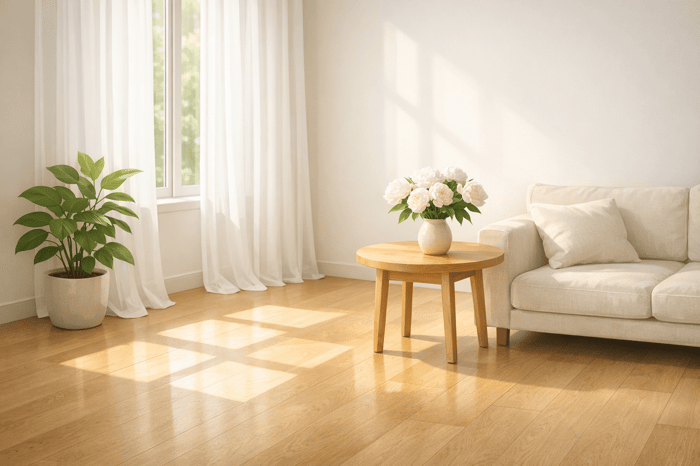

Table of Contents
5 Bright and Airy Presets for Indoor Natural Light
Indoor photography often struggles with uneven lighting, dull colors, and harsh shadows. The right presets can fix these issues by balancing exposure, softening shadows, and refining highlights. This article breaks down five Lightroom presets designed to enhance natural light indoors, making spaces look brighter and more spacious.
Key Highlights:
- Milky White Preset: Brightens dark corners for a luminous, open feel.
- Sumpter White Preset: Balances natural light with deeper shadows for vibrant interiors.
- Bosco Beige Preset: Adds warmth and depth for cozy, inviting images.
- Peace Core Preset: Softens shadows and enhances brightness for a relaxed look.
- Crystal Beige Preset: Perfect for modern interiors with sleek, clean tones.
Each preset works best with natural window light and includes specific adjustments to improve exposure, shadows, and highlights. Whether you're shooting real estate, interior décor, or lifestyle photography, these tools simplify editing and elevate your photos.
Quick Comparison Table:
| Preset Name | Best Use | Main Features | Price |
|---|---|---|---|
| Milky White | Dim or tight spaces | Strong shadow lift, moderate highlight recovery | $15.00 (Presets.io) |
| Sumpter White | Bright, window-lit rooms | Balanced brightness, crisp white highlights | $8.50/month (PHLEARN) |
| Bosco Beige | Warm interiors with wood accents | Gentle shadow lift, warm tone enhancement | $8.50/month (PHLEARN) |
| Peace Core | Everyday home settings | Balanced exposure, soft shadow adjustments | $8.50/month (PHLEARN) |
| Crystal Beige | Modern, sleek interiors | Strong highlight recovery, clean and bright tones | $8.50/month (PHLEARN) |
These presets are available for Lightroom desktop and mobile Android, making them easy to use across devices, including Lightroom for iPhone. Start with one that suits your lighting and style, then fine-tune for the perfect shot.
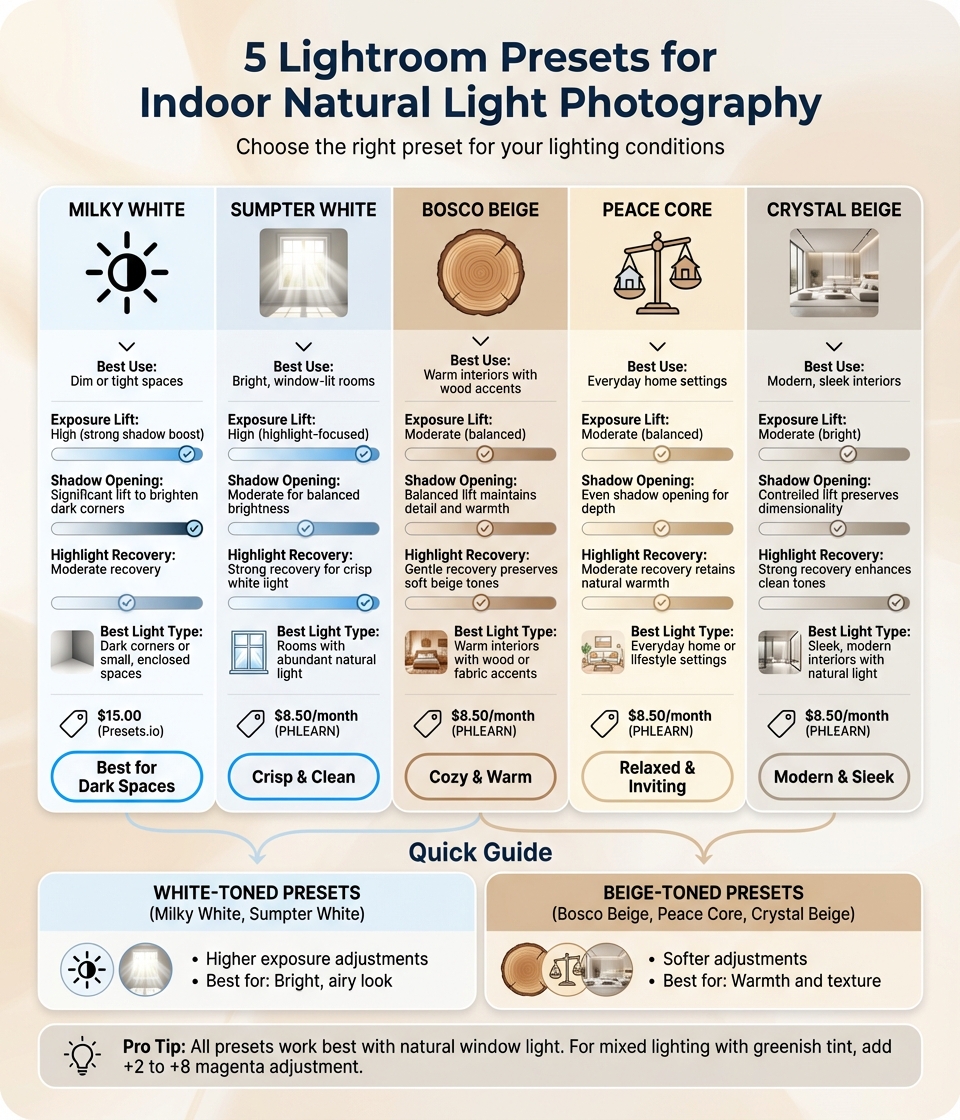
Lightroom Indoor Natural Light Presets Comparison Guide
How to Get a Lightroom Light & Airy Look in 3 Clicks!
sbb-itb-b27063b
1. Milky White Preset
The Milky White preset is designed to make indoor spaces feel more open and welcoming. By targeting shadows that often make corners and furniture look darker, it creates a brighter, more inviting atmosphere. Tailored for interiors lit by natural window light, it replicates how our eyes perceive space, giving rooms an airy and spacious vibe. Let’s break down how it achieves this effect by adjusting exposure, shadows, and highlights.
Exposure Lift
This preset gently brightens the entire frame, ensuring a clean and luminous look without pushing highlights into overexposure. The result? A balanced, light-filled image that retains all the important details, giving interiors that signature bright and polished appearance.
Shadow Opening
The standout feature of Milky White is how it handles shadows. It lifts dark areas, especially in corners or around furniture, making rooms feel larger and more energetic. By recovering shadow details, it enhances the perception of space and depth, giving interiors a more open and dynamic look.
Highlight Recovery
After adjusting exposure and shadows, the preset focuses on refining highlights. It enhances natural light sources, such as windows, without overexposing them. This keeps the brightness intact while avoiding a washed-out look. Additionally, it subtly enhances common interior tones - like warm woods, soft fabrics, and creamy beige - so they complement the brighter exposure seamlessly.
Best Indoor Light Type
For the best results, use Milky White with natural light streaming through windows. It’s perfect for interior décor and real estate photography. Aim for soft, even window light and avoid overexposing your shots. If mixed indoor lighting creates a greenish tint, a slight magenta adjustment (+2 to +8) during post-processing can help balance the colors effectively.
2. Sumpter White Preset
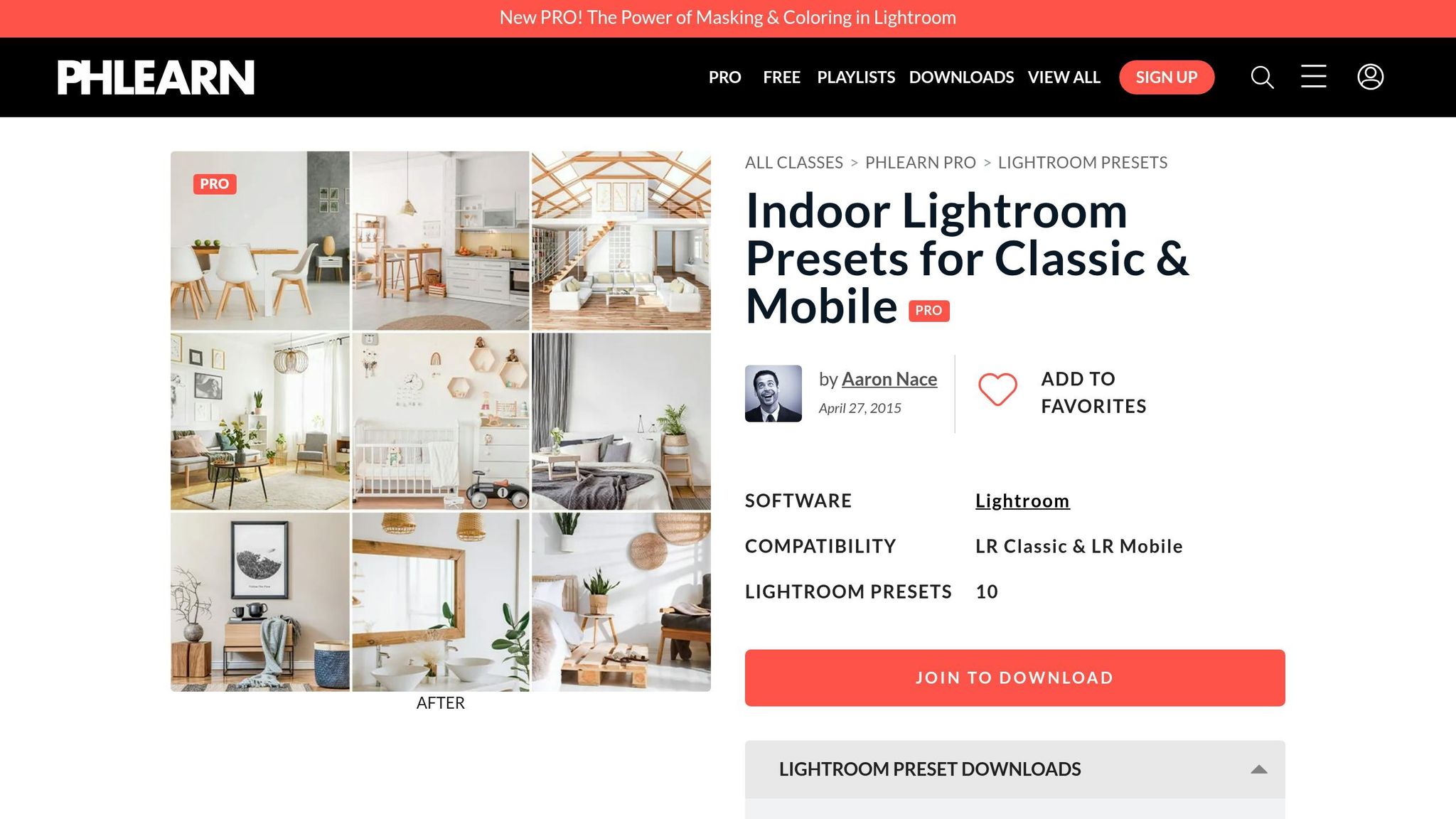
The Sumpter White preset takes the bright, open feel of Milky White a step further by balancing natural window light with deeper shadows. Designed by Aaron Nace and the PHLEARN team, it’s crafted to make interiors appear more vibrant and spacious. The goal? To replicate how your eyes naturally see a room, rather than the way a camera sensor captures it.
Exposure Lift
This preset doesn’t just increase overall brightness - it enhances ambient light throughout the scene. By doing so, it creates a fresh, airy atmosphere without blowing out the highlights. The result is a well-balanced brightness that retains details across the frame, making it perfect for showcasing real estate or interior design.
Shadow Opening
Sumpter White also works its magic on shadows, lifting them to bring out depth and detail in corners and around furniture. This gives the space a more dimensional and inviting feel, highlighting architectural features and textures without losing their natural look.
Highlight Recovery
The preset recovers highlights to preserve the natural glow of window light while avoiding overexposure. It also subtly enhances typical interior tones - like warm wood, soft fabrics, and creamy beige hues - so they blend seamlessly with the brighter overall exposure.
Best Indoor Light Type
For the best results, use this preset with natural light streaming through windows. It’s specifically tailored for scenes where bright window light contrasts with darker corners. If you’re working with mixed lighting, a slight magenta adjustment (+2 to +8 Tint) can help neutralize any greenish tint.
Available through a PHLEARN PRO subscription starting at $8.50/month, the Sumpter White preset is compatible with both Lightroom Classic and Lightroom Mobile. It ensures your indoor shots maintain natural tones while achieving a clean, bright finish. Next, check out another preset designed to enhance light in a different way.
The Seasons Bundle

$39.00
$135.00
The Seasonal Bundle brings together a versatile range of Lightroom presets inspired by the shifting tones and textures of the year — from cool, muted winter scenes to rich, golden autumn light. Inside, you’ll find collections like Winter, Gingerbread, Old… continue reading
3. Bosco Beige Preset
The Bosco Beige preset is a standout choice for creating warm, inviting interior photos with natural light. Designed by Aaron Nace and the PHLEARN team, this preset skillfully balances the contrast between bright window light and darker corners. The result? Interiors that feel both welcoming and spacious - a fantastic option for interior décor and real estate photography.
Exposure Lift
Rather than simply brightening the entire image, Bosco Beige focuses on enhancing natural light sources. This approach creates what PHLEARN calls "bright white lights", giving windows and light fixtures a clean, radiant glow. At the same time, it enriches tones like creamy beige, vanilla, and warm woods, adding depth and personality without losing the room's natural charm.
Shadow Opening
One of Bosco Beige's strengths is its ability to soften harsh shadows, especially in corners or around furniture. According to PHLEARN:
"Harsh shadows are a distraction [that] can make indoor photos feel cramped. Lift shadows, enhance natural light, and add shape, volume, and dimension to any interior space".
This feature transforms flat, shadowy areas into spaces with clear definition and structure.
Best Indoor Light Type
This preset works best in rooms where natural light flows through windows, while shadows linger in other parts of the space. It's particularly effective in high-contrast settings, adjusting the exposure to reflect how the human eye naturally sees a room. For optimal results, start with photos that already have a natural light source, as Bosco Beige enhances existing light rather than creating it artificially.
With its ability to balance light and shadow seamlessly, Bosco Beige is a go-to for indoor photography. Available through a PHLEARN PRO subscription starting at $8.50/month, it’s compatible with both Lightroom Classic and Lightroom Mobile. PHLEARN boasts a 93% five-star rating and supports photographers in over 140 countries. Check out the next preset for another way to achieve a bright, airy aesthetic.
4. Peace Core Preset
The Peace Core preset brings a bright, airy touch to your photos, striking a delicate balance between light and shadow. Tailored for naturally lit interiors, it’s part of a specialized indoor preset collection. This preset handles the tricky interplay of window light and indoor spaces with finesse, creating a fresh and inviting look. It’s a go-to choice for interior décor and real estate photography, where the goal is to make spaces feel warm and welcoming.
Exposure Adjustments
Peace Core enhances brightness by gently lifting shadows, ensuring a well-lit image without washing out the details. It also deepens warm tones - like creamy beige, vanilla, gold, copper, and wood - adding a cozy and natural feel that mirrors how we perceive a home in real life.
Softening Shadows
Dark corners can make interiors feel smaller and less inviting. Peace Core addresses this by opening up shadows, adding depth and dimension to your photos. The result? Rooms look more spacious and full of character, without losing their natural charm.
Highlight Control
Flooding natural light from windows can often lead to blown-out highlights. Peace Core steps in to recover those details, maintaining the crispness of bright areas without turning them into dull, featureless spots. This careful balance keeps the light dynamic and true to life.
Ideal Lighting Conditions
This preset shines brightest in spaces with plenty of natural light streaming through windows. It works by harmonizing the contrast between bright highlights and deep shadows, creating a look that feels authentic and true to the eye. To achieve the best results, focus on shooting in well-lit rooms where the interplay of light and shadow can be fully enhanced by Peace Core. Ready to complete your toolkit? The next preset awaits.
5. Crystal Beige Preset
Crystal Beige offers a refined way to elevate indoor natural light photography. This preset is a perfect companion for capturing spaces where sunlight streams through windows, providing a soft and balanced approach to managing bright highlights and darker corners. It creates images that feel open, inviting, and dimensional - closer to how the human eye naturally perceives them. Ideal for real estate and interior décor photography, Crystal Beige helps spaces appear clean, fresh, and full of life.
Exposure Lift
Crystal Beige enhances the natural light in your photos, bringing a sense of energy and openness. It subtly boosts common interior tones like creamy beige, vanilla, and warm woods, adding character without making them look overdone. The result is soft, airy highlights that avoid harshness. If your image feels a bit flat, try increasing the whites by +5 to +15 to bring back depth.
Shadow Opening
This preset works wonders on darker areas, such as shadowed corners or spaces around furniture. By lifting shadows, it reveals more detail and adds depth to the scene. At the same time, it maintains enough contrast to keep the image visually engaging, ensuring the final result doesn’t look washed out.
Highlight Recovery
Capturing detail in bright areas, like sunlight pouring through windows, can be tricky for cameras. Crystal Beige balances exposure to keep highlights soft yet detailed. This ensures that window light enhances the overall brightness of the image while retaining texture and avoiding the overly blown-out look.
Best Indoor Light Type
Crystal Beige shines in rooms with ample window light, where natural illumination creates striking contrasts between bright and shadowed areas. For the best results, shoot in spaces with large windows that allow sunlight to interact beautifully with the room's elements. If artificial indoor lighting introduces a greenish tint, adding a touch of magenta (+2 to +8) after applying the preset can help neutralize tones. This preset ensures your photos remain bright, welcoming, and full of natural charm.
Preset Comparison Table
Choose a preset that matches your indoor lighting and the atmosphere you want to create. Each preset adjusts exposure, shadows, and highlights in a unique way. The table below breaks down these options to help you decide.
| Preset Name | Exposure Lift Style | Shadow Opening | Highlight Recovery | Best Indoor Light Type |
|---|---|---|---|---|
| Milky White | High exposure lift; strong shadow boost | Significant lift to brighten dark corners | Moderate recovery to keep overall brightness | Dark corners or small, enclosed spaces |
| Sumpter White | High exposure lift; highlight-focused | Moderate shadow opening for balanced brightness | Strong recovery for a crisp, bright white light | Rooms with abundant natural light |
| Bosco Beige | Moderate; balanced | Balanced lift to maintain detail and warmth | Gentle recovery to preserve soft beige tones | Warm interiors with wood or fabric accents |
| Peace Core | Moderate; balanced | Even shadow opening for depth while keeping it cozy | Moderate recovery to retain natural warmth | Everyday home or lifestyle settings |
| Crystal Beige | Moderate; bright | Controlled lift to preserve dimensionality | Strong recovery to enhance stone, silver, and vanilla tones | Sleek, modern interiors with plenty of natural light |
The white-toned Lightroom presets, Milky White and Sumpter White, are perfect for achieving a bright, airy look with higher exposure adjustments. On the other hand, the beige-toned options - Bosco Beige, Peace Core, and Crystal Beige - offer softer adjustments that emphasize warmth and texture. For dimly lit or tight spaces, Milky White excels with its shadow-focused design. If you're working in rooms with lots of natural light, Sumpter White or Crystal Beige will enhance brightness while preserving details.
Conclusion
Each Lightroom preset brings its own flair to indoor natural light photography. Milky White brightens deep shadows, breathing life into tight or dimly lit spaces. Sumpter White works wonders with natural light, delivering a crisp and clean aesthetic that's perfect for window-lit shots. Bosco Beige highlights warm tones in wood, fabrics, and soft vanilla hues, making it a go-to for creating a cozy vibe. Peace Core ensures balanced exposure with a touch of warmth, giving your photos a relaxed and inviting feel. Meanwhile, Crystal Beige enhances stone, silver, and creamy beige tones, adding depth and style to modern interiors.
These Lightroom presets are designed to address common indoor photography challenges. The white-toned options focus on boosting brightness, while the beige-toned presets maintain warmth and texture for a softer touch.
If you're looking to upgrade your photography game, check out Presets.io's Interior Collection (16 presets) and Light & Airy Collection (20 presets), both available for $15.00 each (normally $27.00). For even more variety, the Master Preset Bundle Volume II offers 687 presets to explore.
Use a Lightroom preset as your starting point, then fine-tune your adjustments to suit the lighting in your space. Take your indoor photography to the next level with these thoughtfully crafted tools.
FAQs
Which preset should I use for a dark room with shadowy corners?
The Dark & Moody preset works wonders in shadow-filled settings, especially in dimly lit rooms. It's crafted to highlight depth and create a rich, atmospheric feel in low-light environments, making it an excellent choice for spaces with limited natural light.
How do I fix a green color cast after applying these presets?
To fix a green color cast that often appears after applying bright and airy presets, start by tweaking the white balance in your editing software. Slightly raise the temperature to introduce some warmth into the image, and adjust the tint toward magenta to neutralize the green tones.
If the image still needs improvement, dive into the hue, saturation, and luminance (HSL) settings. Fine-tuning these can help balance individual colors and bring the photo back to a more natural and pleasing look.
What quick tweaks should I make after applying a preset?
After applying a preset, make adjustments to exposure, contrast, and white balance to align with your photo’s specific lighting conditions. Tweak the highlights and shadows to retain important details, particularly for brighter, more airy edits. If needed, adjust clarity or saturation to create either a softer feel or a more vivid appearance. These small changes help your photo look polished and natural while complementing the preset’s impact.