
Table of Contents
Best Instagram Presets for Lightroom Mobile 2025
Instagram creators in 2025 rely heavily on Lightroom Mobile presets to save time and maintain a polished, consistent aesthetic. These presets allow for one-tap edits, helping users enhance photos and establish a recognizable brand style. Whether you're an influencer, small business owner, or casual user, presets cater to various photography styles like vintage, natural, and moody edits. Here's a quick breakdown of the top options:
- Presets.io: Offers diverse styles like vintage, cinematic, and moody with mobile compatibility and adjustable settings. Pricing starts at $12, with a Master Bundle of 721 presets for $49.
- Vintage Film Presets: Mimic classic film aesthetics (Kodak, Fuji) with warm tones, grain, and muted highlights. Ideal for travel and lifestyle photos.
- Natural and Minimal Presets: Focus on subtle edits for clean, realistic images. Perfect for lifestyle, product, and fashion photography.
- Moody and Dark Presets: Create dramatic, cinematic effects with deep shadows and rich contrast, suited for urban and storytelling themes.
Each preset type includes DNG files for Lightroom Mobile, making them easy to install and use on iOS and Android devices. Choose a style that aligns with your content goals, test it across different lighting, and tweak settings to create a cohesive Instagram feed.
How to Use Lightroom Mobile Presets | Lightroom Tutorial | Instagram Feed Aesthetic
1. Presets.io
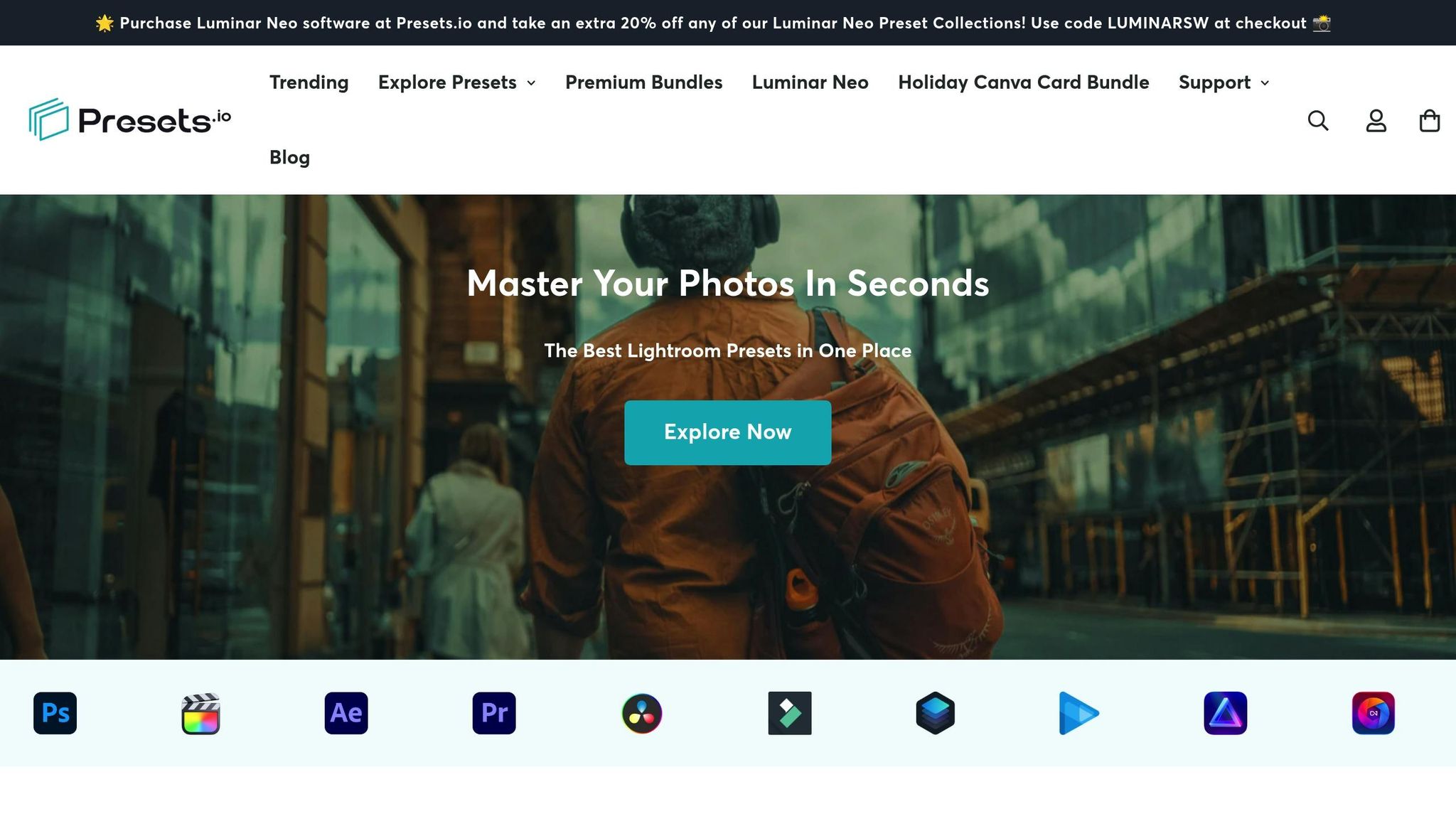
Presets.io is a platform tailored for Instagram creators who primarily edit their photos on mobile devices. It specializes in offering curated Lightroom presets that align with popular Instagram aesthetics, including vintage film, cinematic, natural and minimal, and moody styles. By focusing on these trending looks, the site eliminates unnecessary options, making it easier for users to find the perfect fit for their content. With an impressive 4.8 out of 5 stars from 1,413 reviews, it's clear that Presets.io has earned a solid reputation for delivering presets that perform well across various shooting conditions.
Style Range
Presets.io caters to the top Instagram trends of 2025, offering presets designed to achieve three standout styles:
- Vintage film: Soft grain and muted highlights for a nostalgic feel.
- Natural edits: Clean adjustments that preserve realistic skin tones.
- Moody dark styles: Deep shadows paired with cinematic color grading.
Each preset pack is designed as a cohesive set, ensuring consistent color tones and styles across your photos, which is key to maintaining a polished Instagram grid.
In addition to these core styles, Presets.io also provides seasonal collections like the Holiday Bundle, featuring 114 presets that add festive warmth and soft tones to your images. For those looking to experiment, there are specialized collections such as Moody Blue for travel photography, Retro Film, Analog, Neon Light, and even Kodak Portra emulations. These options allow creators to explore different moods while staying true to their unique aesthetic.
Customization Options
Every preset from Presets.io is fully adjustable within Lightroom Mobile, giving you the freedom to tweak your photos to perfection. After applying a preset, you can fine-tune settings like exposure, white balance, contrast, HSL colors, and even local adjustments - all directly on your phone. This adaptability is especially handy when working with varied lighting conditions or ensuring accurate skin tones and product colors, which is crucial for brands and e-commerce photographers.
For beginners, these presets double as a learning tool. By applying one and studying the adjustments in Lightroom Mobile, you can understand how different settings influence your image. Experimenting with small tweaks - like reducing highlights or adjusting orange saturation for skin tones - can help you develop the skills to create your own personalized versions of Presets.io’s styles.
Mobile Compatibility
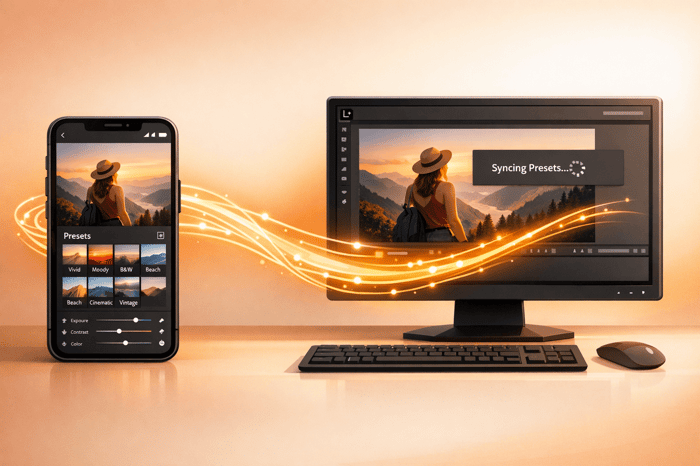
Presets.io collections come with Lightroom Mobile Presets (DNG files), ensuring full compatibility with the Lightroom Mobile app on both iOS and Android devices. Importing these presets is straightforward, allowing for one-tap edits on future images.
To make the process even easier, the platform provides detailed installation guides. A general Installation Guide is available on their website, and a more comprehensive User Installation & Tutorial Guide is included with the Master Preset Bundle. These resources are especially helpful for first-time users, ensuring a smooth setup and consistent results across different phone cameras and lighting conditions.
Pricing
Presets.io offers a range of pricing options to suit different needs:
- Individual collections: $12.00 each
- Themed bundles: Options like the Holiday Bundle, Cinematic Bundle, and Vintage Film Bundle are available for $39.00 each
- Master Preset Bundle: Includes 721 presets for both mobile (DNG files) and desktop, priced at $49.00
The Master Preset Bundle is a great choice for professional creators or power users who require a variety of styles for different projects. These pricing tiers provide flexibility while ensuring access to a wide array of preset options, making it easy to find the right look for any campaign.
2. Vintage Film Style Presets
Vintage film style presets bring the charm of analog photography into the digital age. These presets replicate the look of classic film stocks like Kodak Portra, Kodak Gold, and Fuji Film, offering soft contrasts, subtle grain, and those signature color shifts that make film photography so iconic. In 2025, this aesthetic continues to dominate Instagram, especially in travel, lifestyle, portrait, and street photography. By using these presets, creators can effortlessly achieve a timeless vibe for their images.
What makes vintage film presets so appealing is their ability to turn crisp, digital photos into images that feel authentically retro. Unlike the overly polished look of standard digital edits, these presets embrace natural imperfections with faded blacks, gentle color casts, and a touch of grain. This creates a nostalgic, organic quality that resonates deeply with viewers. Platforms like Presets.io offer curated vintage collections, giving creators an easy way to elevate their Instagram grids with this sought-after style.
Style Range
Vintage film presets typically come in collections of 8 to 15 variations, designed to handle a variety of lighting conditions while maintaining a cohesive aesthetic. These collections include options for bright daylight, golden hour, indoor tungsten lighting, and even nighttime scenes. Popular styles within these collections include:
- Warm golden tones for a sunny, nostalgic feel
- Muted earth tones for a subdued, vintage look
- Slightly desaturated options to mimic the faded quality of old film
Some presets emphasize warm hues while softening cooler tones, while others focus on balanced midtones and gentle contrasts. The hallmark of the vintage look often involves softened exposure, enhanced warm tones, reduced cool tones, subtle vignetting, and a slight reduction in clarity to replicate the dreamy texture of classic film scans.
Many creators choose presets inspired by specific film families, such as Kodak's warm, vibrant tones or Fuji's cooler, more subdued palette, to ensure their Instagram feeds maintain a consistent visual identity.
Customization Options
One of the biggest advantages of vintage film presets is their flexibility. Settings like exposure, contrast, and temperature can be adjusted to better suit different skin tones and lighting scenarios. This customization ensures the vintage effect feels natural and flattering across a variety of images.
Photographers often tweak these presets further, saving their adjustments as new custom presets for future use. This approach allows for a more personalized and consistent vintage look, tailored to their unique style. For Instagram, testing multiple presets on the same image and adjusting their intensity helps maintain a cohesive feed without making photos appear over-edited. Whether it’s a standout hero shot or a supporting image, this adaptability ensures the aesthetic works seamlessly across all devices.
Mobile Compatibility
Vintage film presets are fully compatible with Lightroom Mobile through DNG files, which can be used with the free version of the app on both iOS and Android devices.
Installing these presets is simple, thanks to detailed guides that usually come with the collections. Once imported, the presets integrate into your Lightroom Mobile library, allowing you to apply them with a single tap. Whether you're a beginner or a seasoned photographer, this ease of use makes transforming your photos a breeze.
Pricing
Pricing for vintage film preset collections starts at $12.00, with themed bundles available for around $39.00. Many providers also offer a free sample preset in DNG format, so you can test its compatibility with Lightroom Mobile before committing to a full collection.
3. Natural and Minimal Presets
Natural presets stand out for their subtle touch, enhancing images without overshadowing their original charm. Unlike vintage or moody dark presets, these focus on refining colors, skin tones, and lighting while preserving the authenticity of the scene. With Instagram users leaning toward a more genuine, unfiltered look in 2025, this understated style has become increasingly popular.
These presets are ideal for both everyday posts and sponsored content, especially for U.S.-based creators working with brands. The "no filter" vibe allows influencers to maintain a natural appearance while using professional editing tools to gently tweak exposure, white balance, and color balance.
What makes natural presets unique is their simplicity. Instead of dramatically transforming an image, they subtly elevate its existing qualities. This versatility makes them a great choice for everything from indoor and outdoor shots to selfies and product photography. They also help create a cohesive Instagram grid without the need to jump between different preset styles.
Style Range
Natural presets focus on maintaining light and color balance, offering a clean and polished look. For instance:
- Daylight presets: Brighten images slightly while keeping neutral tones intact.
- Pastel tones: Add a soft, airy tint for a romantic feel.
- Ultra-subtle adjustments: Fine-tune exposure and white balance with minimal changes.
These presets often come with names like "No Filter", "Clean Edit", "Everyday", "Lifestyle", "Light & Airy", and "Soft Neutral." Popular platforms like Presets.io feature curated collections such as the Minimalist Preset Collection and the No Filter Preset Collection, making it easy to find options tailored to this natural aesthetic.
Customization Options
The beauty of natural presets lies in their adaptability. Many packs include different intensity levels - commonly labeled "soft", "medium", and "strong" - to suit various lighting conditions, skin tones, and environments. For example, you might use a softer preset for indoor shots and a stronger one for outdoor landscapes.
After applying a preset, you can tweak settings like exposure, contrast, and white balance, then adjust the HSL or color mix panels for finer control. Once you’ve perfected the look, save your adjustments as a new custom preset to ensure a consistent aesthetic across your Instagram grid with minimal effort.
Mobile Compatibility
Natural presets are typically offered as DNG files, making them easy to use with Lightroom Mobile on both iOS and Android. Many 2025 preset bundles also include desktop versions and video LUTs, allowing you to maintain a consistent look across posts, Stories, and Reels.
Pricing
For creators in the U.S., natural presets offer an affordable way to streamline editing while keeping a cohesive, authentic aesthetic. Prices for Lightroom Mobile preset packs usually range from $10.00 to $39.00, depending on the number of presets and whether both mobile and desktop versions are included. Many sellers also offer discounted bundles with 10 to 20 presets, lowering the cost per preset to just a few dollars. Free sample packs are often available, giving you a chance to test the style before purchasing a full set. When comparing prices, consider extras like commercial usage rights, customer support, and regular updates, which can add extra value to your investment.
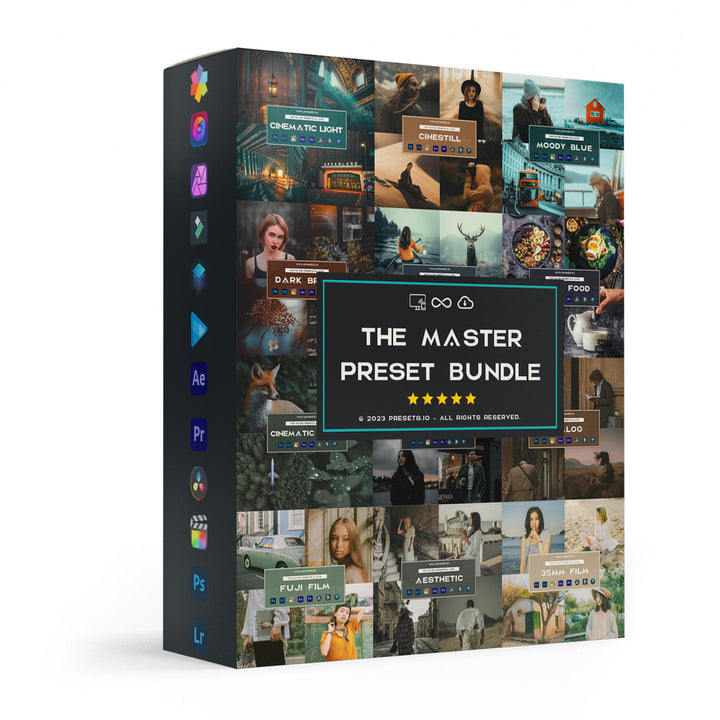
The Master Preset Bundle
$57.00
$672.00
The Master Preset Bundle Every Style. Every Platform. One Download Get 56 high-quality Presets.io collections in one complete bundle — designed to help you edit faster, stay consistent, and get professional-looking results in seconds. Get All High-Quality Preset Collections For… continue reading
sbb-itb-b27063b
4. Moody and Dark Style Presets
Moody and dark presets bring a rich, story-driven vibe to Instagram grids, relying on deep shadows, high contrast, and muted tones. Unlike the bright and airy feel of natural presets, these create a cinematic, editorial look that’s perfect for urban photography, nighttime cityscapes, indoor lifestyle shots, and edgy fashion content. By 2025, the "dark aesthetic" has become a go-to style for U.S. creators aiming for a polished, intentional, and cohesive feed.
These presets prioritize mood and controlled lighting over bright, true-to-life colors. They typically slightly lower exposure, boost contrast, and deepen shadows while preserving key details - especially in faces and subjects. The result? A moody, intimate effect that grabs attention in crowded Instagram feeds, especially for creators focused on street scenes, coffee-shop vibes, and nightlife photography. This aesthetic sets the stage for exploring the variety, customization, and pricing options available.
Style Range
Moody and dark presets come in a variety of sub-styles, each offering a unique spin while sticking to a signature dark foundation. Popular options include:
- Cinematic Moody: High contrast with lifted blacks and teal-and-orange tones.
- Urban Night: Highlight detail preserved for neon lights, with boosted blues.
- Warm Moody: Rich browns and golds, ideal for cozy interiors.
- Low-Saturation Minimalism: Reduced saturation with subtle tints for an editorial feel.
Presets.io offers curated collections like the Moody Blue Preset Collection, perfect for travel and landscape shots with cool, dramatic blues, and the Moody Tropical Preset Collection, which adds a striking dark aesthetic to tropical imagery. Both collections come with desktop and mobile Lightroom presets, showcasing the versatility of moody styles across different photography genres.
Customization Options
One of the best features of moody and dark presets is their flexibility. Most packs are designed as starting points, allowing you to tweak exposure, white balance, color mix, and curves to suit your specific image. Common adjustments include slightly lowering exposure, boosting contrast, deepening shadows, and occasionally adding a soft vignette to draw focus.
For bright outdoor scenes, you might need to tone down highlights and whites more aggressively while reintroducing midtone contrast. On the other hand, in dimly lit interiors, slightly raising exposure while keeping shadows rich can help retain detail without losing the moody vibe.
Creating variations like "Moody – Indoors" or "Moody – Bright Sun" ensures your aesthetic remains consistent, even across different lighting conditions. Testing multiple presets on the same image and making small, repeatable tweaks is a great way to refine your signature look. The flexibility of these presets also makes them easy to adapt for mobile editing.
Mobile Compatibility
Moody and dark presets work seamlessly with Lightroom Mobile on both iOS and Android devices. Most Instagram-focused preset packs are designed for the free Lightroom Mobile app, enabling creators to apply them with a single tap and make further adjustments using the app’s tools.
To get started, install Lightroom Mobile, import DNG presets following the provided guide, and tap Presets to apply your chosen look. After applying, you can fine-tune exposure, shadows, and white balance before exporting the image for Instagram. This easy workflow allows creators to maintain their dark aesthetic while editing and posting on the go.
It’s important to note that increasing shadows and contrast in low-light smartphone images can sometimes introduce noise or banding. To counter this, gently lift shadows instead of crushing them, use Lightroom Mobile’s Noise Reduction feature sparingly, and avoid overusing clarity or texture adjustments on noisy areas. Shooting with as much available light as possible and using newer smartphone cameras with advanced night modes can also help maintain image quality.
Pricing
Moody and dark preset packs for Lightroom Mobile are typically sold as one-time digital downloads, making them a budget-friendly option for creators aiming to build a cohesive dark aesthetic. Individual collections usually range from $12.00 to $27.00. For those looking for variety, the Master Preset Bundle - featuring 721 mobile presets - is available for $49.00 (discounted from $672.00) as of December 2025.
When choosing a preset pack, consider its compatibility with Lightroom Mobile, file formats (like DNG for mobile use), the number of presets included, and extra resources such as installation guides and responsive support. These factors can make a big difference in ensuring a smooth and hassle-free editing experience.
Pros and Cons
Finding the right Instagram preset collection for Lightroom Mobile depends on your editing style, the vibe you want for your content, and how you like to work. Each preset type has its own strengths and weaknesses that can shape the overall look of your Instagram feed. Knowing these trade-offs can help you pick presets that fit both your creative goals and practical needs. Below, you'll find a breakdown of the pros and cons for each preset style, along with insights to guide your decision.
Here's a quick comparison of the main advantages and drawbacks of the preset collections discussed in this guide:
| Preset Collection | Main Strengths (Pros) | Main Limitations (Cons) |
|---|---|---|
| Presets.io | - Offers a wide variety of styles (aesthetic, cinematic, vintage, film, minimal) in one place - Beginner-friendly, mobile-compatible formats with detailed installation guides - Regular updates aligned with Instagram trends - High-quality, non-destructive edits for flexibility | - Large bundles can overwhelm users who only need a couple of consistent looks - Advanced styles (like cinematic or film emulations) may need fine-tuning in different lighting, which can be tricky for beginners |
| Vintage Film Style Presets | - Perfect for nostalgic aesthetics with grain, muted colors, and soft contrast - Great for storytelling, travel, and lifestyle posts - Maintains natural skin tones while adding character with warm tones - Conceals minor flaws and adds depth | - May reduce color vibrancy, which might not suit brands relying on bold visuals - Heavy grain or fade can lower sharpness on small screens - Can distort colors, making them less ideal for product or branded content |
| Natural and Minimal Presets | - Produces clean, realistic edits suitable for many content types (lifestyle, product, fashion, food) - Minimal color shifts preserve brand colors and skin tones - Beginner-friendly with fewer adjustments needed - Subtle edits create a polished look | - May lack the "wow-factor" of dramatic presets - Subtle adjustments can feel too mild in a crowded Instagram feed - Could result in a repetitive look without variation - Less distinctive for users seeking a bold aesthetic |
| Moody and Dark Style Presets | - Delivers a cinematic, atmospheric feel with deep shadows and rich contrast - Ideal for storytelling and creating a "signature look" - Works well in golden hour, overcast, or indoor settings - Popular among portrait and travel influencers | - Can crush shadows and lose detail in darker images, requiring manual adjustments - Not suitable for bright, cheerful branding or product photography needing accurate colors - Overuse can make a feed feel overly dark or somber |
Key Takeaways for Each Preset Collection
Presets.io collections stand out for their versatility, offering a wide range of styles in one package. This makes it easier to maintain a cohesive Instagram feed without needing to mix presets from different creators. Their mobile-friendly formats and beginner-focused installation guides simplify the process, but the sheer number of options in larger bundles might overwhelm users who only need a consistent aesthetic.
Vintage film style presets are a great match for Instagram trends favoring warm, retro tones and nostalgic vibes. These presets shine in travel diaries, cityscapes, and editorial-style posts where mood and emotion take precedence over technical precision. However, their tendency to distort colors could pose challenges for brands or e-commerce content that require accurate representation.
Natural and minimal presets are incredibly versatile and work well across niches like lifestyle, product photography, and food. They preserve true-to-life colors and flattering skin tones, making them ideal for brands and influencers who prioritize authenticity. The downside? Their subtle edits may feel too understated for those looking to create a bold impact, and they might require extra tweaks to stand out in a busy Instagram feed.
Moody and dark style presets are perfect for creating a dramatic, cinematic atmosphere. They excel in portrait photography, urban scenes, and storytelling-focused content, adding depth and contrast to images. However, their heavy shadows can sometimes obscure details or make skin tones appear too dark, which might not suit every type of content.
Workflow Tips and Final Thoughts
From a workflow perspective, all these preset options can speed up editing by providing a consistent base look with just one tap. Natural and minimal presets often require minimal adjustments, making them great for quick edits during peak engagement times. On the other hand, vintage and moody styles may need more fine-tuning to adapt to different lighting conditions.
When deciding on a preset pack, try applying a few options to the same image to see how they perform. Adjust exposure, contrast, and white balance after applying a preset - think of it as a starting point, not the final edit. For Instagram, focus on collections that specifically mention Lightroom Mobile compatibility, include DNG files, and come with clear installation guides. Above all, choose presets that align with your content style - vintage for travel and storytelling, natural for lifestyle or product-focused posts, and moody for urban or cinematic themes.
Conclusion
Picking the right Instagram presets for Lightroom Mobile in 2025 is all about aligning your content style, skill level, and long-term vision for your feed. Each preset category covered here has its strengths and caters to specific creative needs.
Presets.io stands out as a top choice for creators. Their curated bundles - spanning aesthetic, cinematic, vintage, and film-inspired looks - offer a wide range of options for those seeking consistency without juggling multiple providers. The platform’s step-by-step installation guides and mobile-ready DNG files make it beginner-friendly, while regular updates ensure your presets stay relevant to current Instagram trends.
If you're into Vintage Film Style presets, these are perfect for travel bloggers, lifestyle influencers, and storytellers who want a nostalgic, warm vibe. They shine in cityscapes, golden-hour portraits, and editorial-style posts where mood takes priority over technical precision.
For those looking for flexibility, Natural and Minimal presets are a safe bet. They preserve true-to-life skin tones and work well across various niches, including lifestyle, fashion, food, and home decor. These presets are ideal if you’re aiming for a timeless, cohesive feed that won’t feel outdated as trends evolve.
Meanwhile, Moody and Dark Style presets are tailored for creators chasing a dramatic, cinematic flair. Urban photographers, portrait artists, and fashion influencers will appreciate the depth and atmosphere these presets bring. However, they might require a bit more tweaking to get shadows and highlights just right.
To simplify your workflow, start small. Download a focused collection that aligns with your primary content style instead of hoarding dozens of presets. Test your chosen preset on 10–15 photos taken in diverse lighting conditions to ensure consistency. Once you find one that resonates, customize it slightly and save it as your "signature preset" in Lightroom Mobile. Stick with it for at least a month - this consistency not only builds a recognizable aesthetic but also helps you develop an eye for shooting with your editing style in mind.
For creators in the U.S. using smartphones, Lightroom Mobile’s free app makes it effortless to import DNG presets and incorporate professional-grade editing into your routine. Whether you’re a casual photographer wanting polished vacation shots or a small business owner striving for brand consistency in product photos, the right preset collection can transform your editing process, cutting down time from minutes to mere seconds per photo.
Presets.io offers a dependable solution for quality Lightroom Mobile presets, combining variety, ease of use, and ongoing support. Remember, presets are just a starting point - fine-tune them to suit your photo’s lighting and style. Choose your base aesthetic, test it thoroughly, and let your preset enhance your creative process without overcomplicating it.
FAQs
How do I pick the best Lightroom Mobile preset for my Instagram style in 2025?
To find the right preset for your Instagram feed, begin by defining the vibe you want to create. Is your style more vintage, cinematic, or sleek and modern? Think about the mood and tone that reflect your personality or brand.
Next, consider the kinds of photos you usually share - are they landscapes, portraits, or lifestyle shots? Choose presets that highlight the strengths of those images while keeping your feed visually consistent. Don’t hesitate to try out a few different presets to discover which ones make your photos shine while tying your content together seamlessly.
How do I install Lightroom Mobile presets on my smartphone?
Installing presets in Lightroom Mobile is a breeze. Start by downloading the preset files to your smartphone - these typically come as .DNG files. Once downloaded, open the Lightroom Mobile app and import the files into your photo library.
After importing, select one of the preset files, tap the three-dot menu in the top-right corner, and choose 'Create Preset'. Give your preset a name, organize it into a group if you'd like, and hit save. Now, whenever you're editing a photo, you can quickly apply your new preset from the Presets menu. It's that simple to give your photos a polished, professional look!
How can I adjust Lightroom presets to match different lighting and keep my Instagram feed consistent?
To tailor Lightroom presets for different lighting scenarios, begin by adjusting essential settings such as exposure, contrast, and white balance. These tweaks ensure the preset complements the specific lighting in your photo while preserving its original style.
If you're aiming for a unified look on your Instagram feed, prioritize consistent tones and colors. Use presets with a similar vibe, or modify aspects like saturation and temperature to match your desired aesthetic. Once you're happy with the changes, save them as a new preset to simplify editing for future images.